DesignDriveSign in

The studio operating system for interior design firms.

Project management. Procurement. Project accounting. Studio operations.

One connected system for the projects, financials and people behind an interior design firm.

Coming January 2027
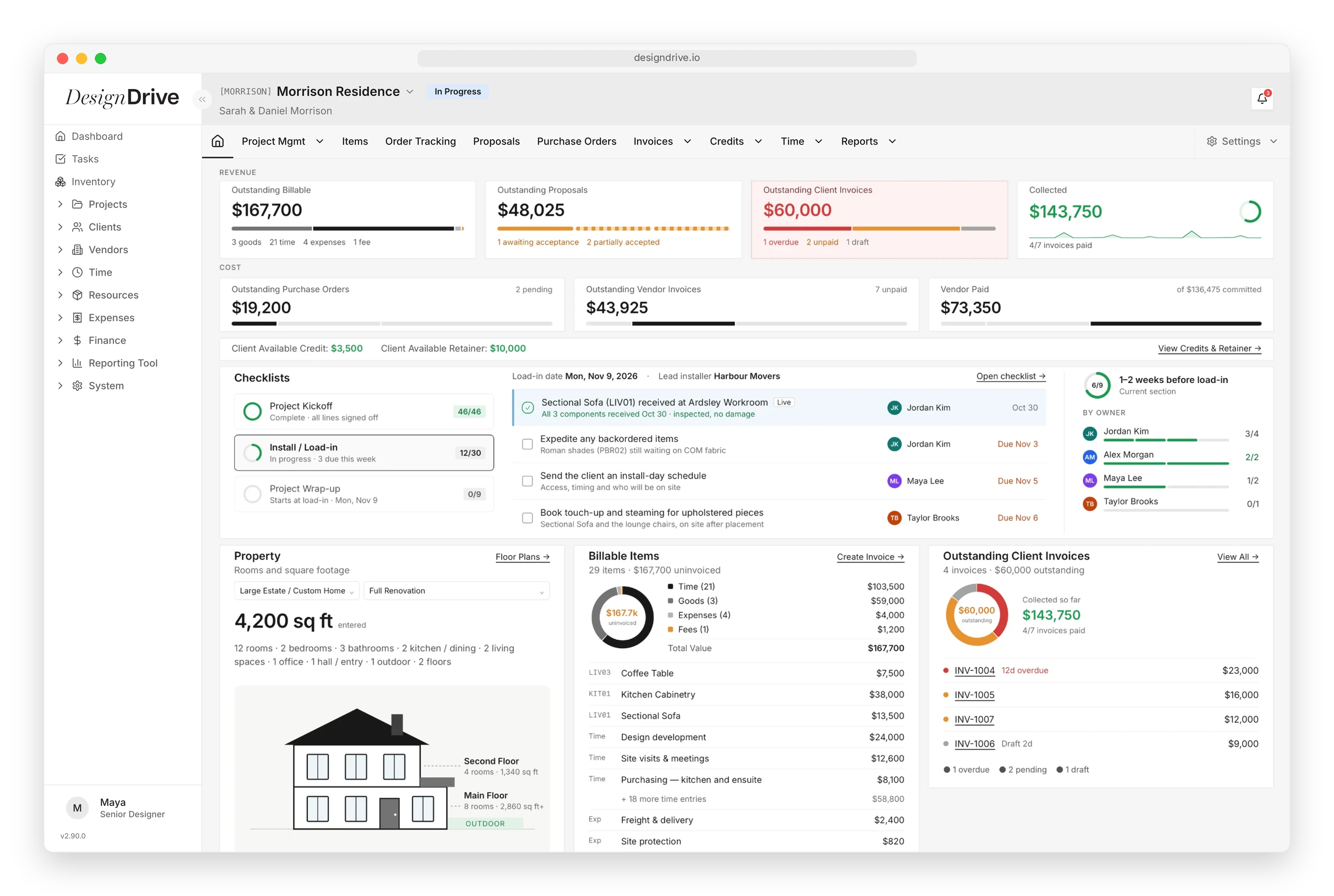
DesignDrive project overview for Morrison Residence: revenue and cost, the install checklist, property, billable items and client invoices

Built for the full business of interior design.

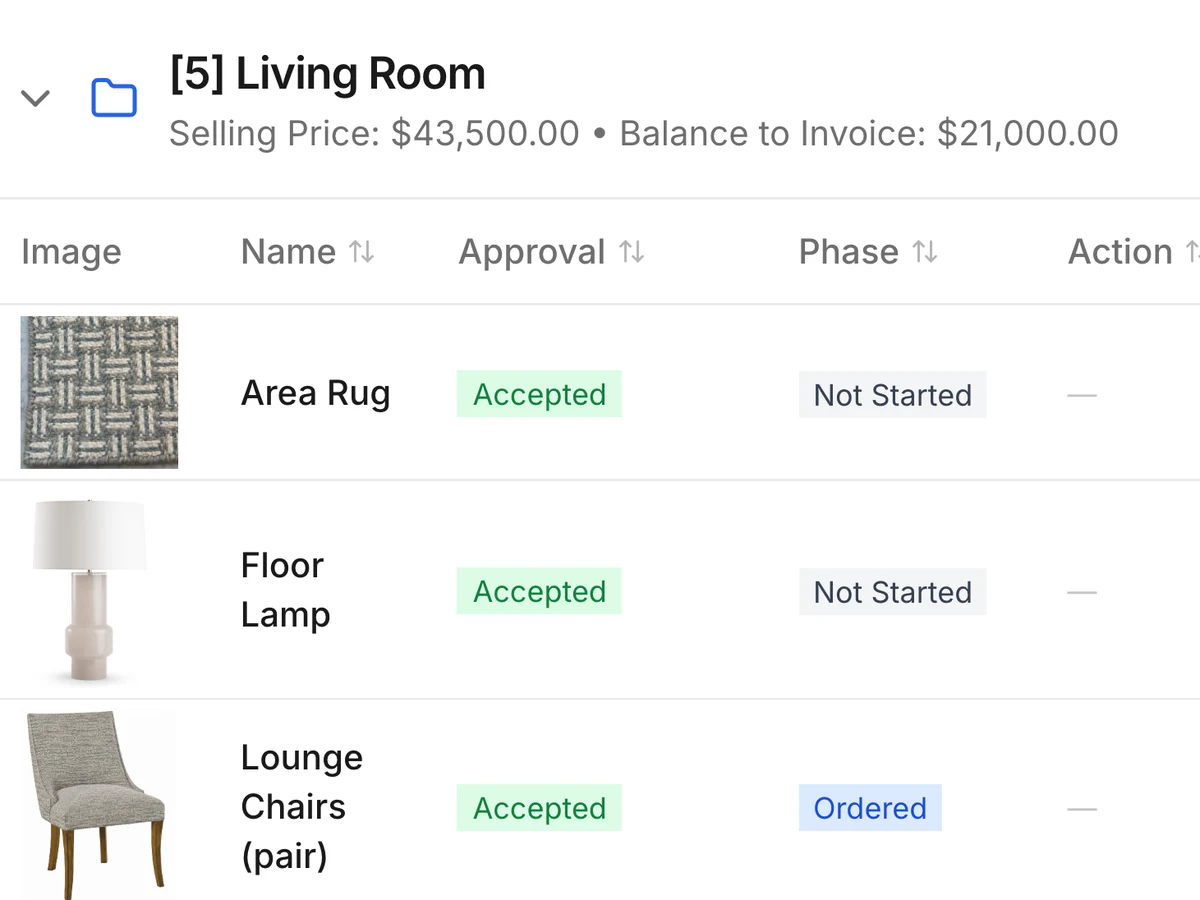
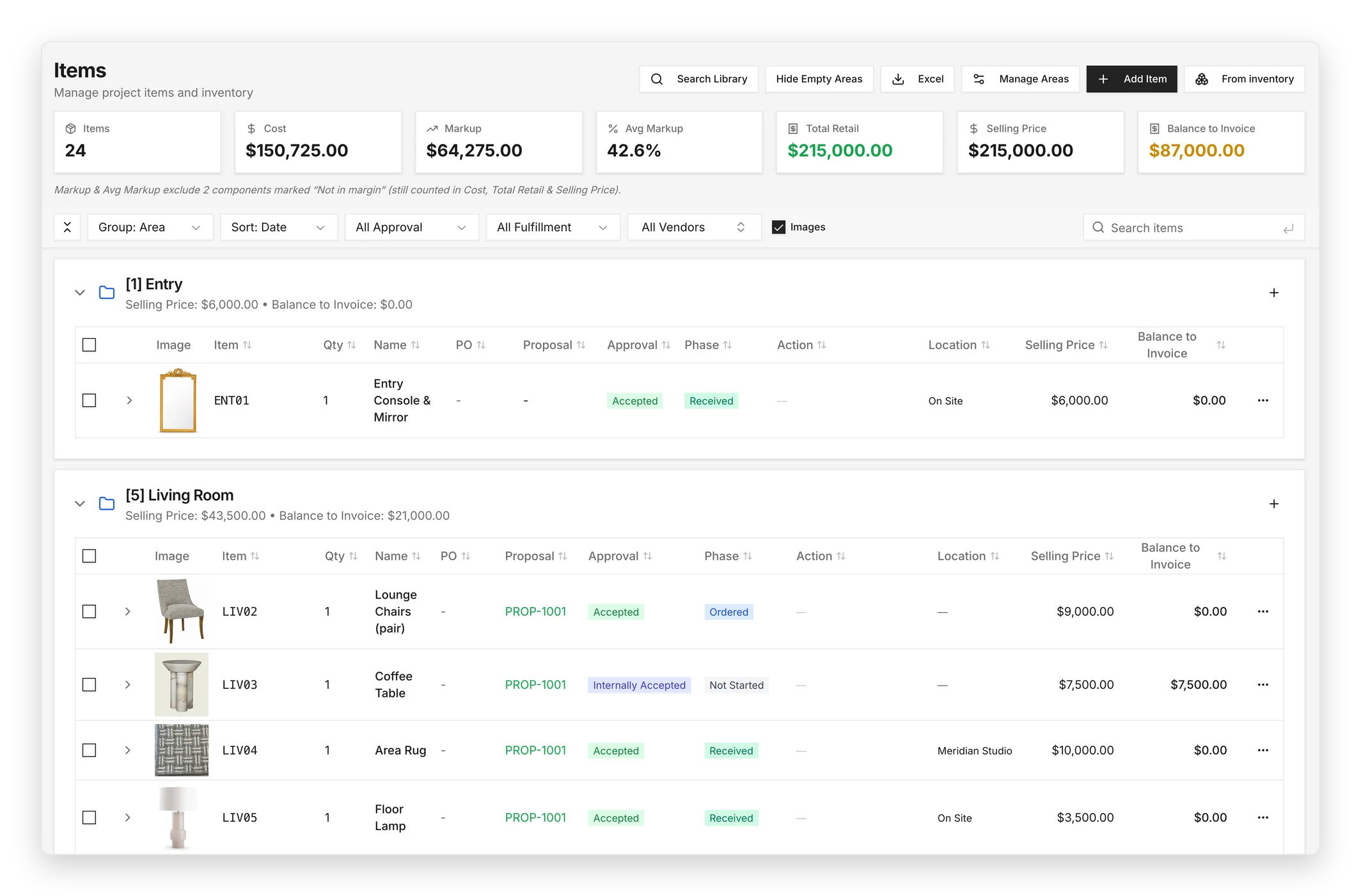
DesignDrive project items grouped by room, with product images, approvals and phases

Projects

From first inquiry to final punch list, every scope, budget and selection lives on one project record.

  • Inquiries
  • Estimating
  • Scopes & contracts
  • Project budgets
  • Room budgets
  • Schedules & specifications
  • Selections & items
  • Proposals & client approvals
  • Tasks & milestones
  • Installation & closeout
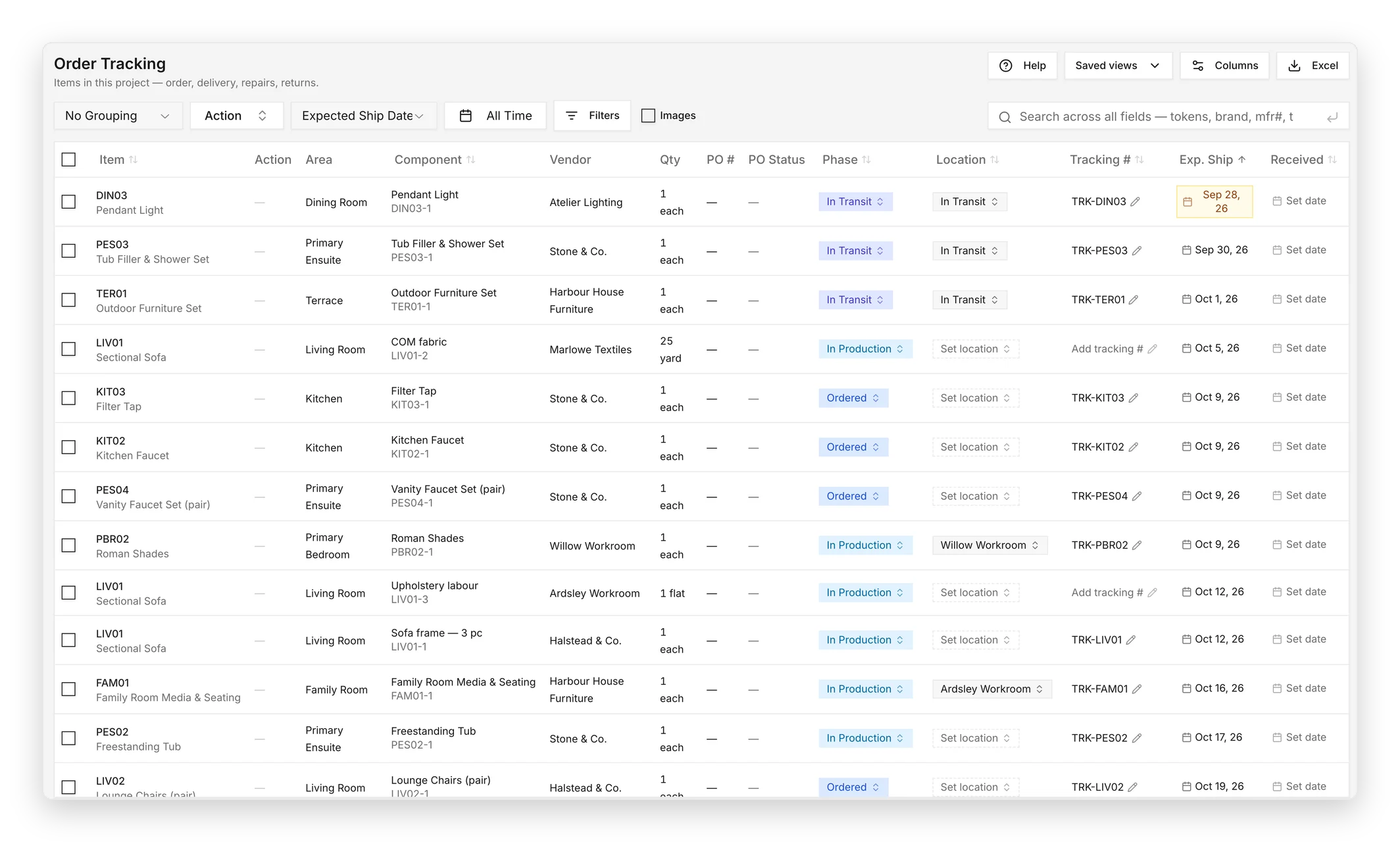
DesignDrive order tracking with vendors, phases, tracking numbers and expected ship dates

Procurement

Purchase orders, vendors and freight tracked against the item they belong to — down to COM yardage.

  • Purchase orders
  • Vendor management
  • Vendor invoices
  • Order tracking & expediting
  • Receiving
  • Credits & claims
  • COM / COL tracking
  • Install readiness
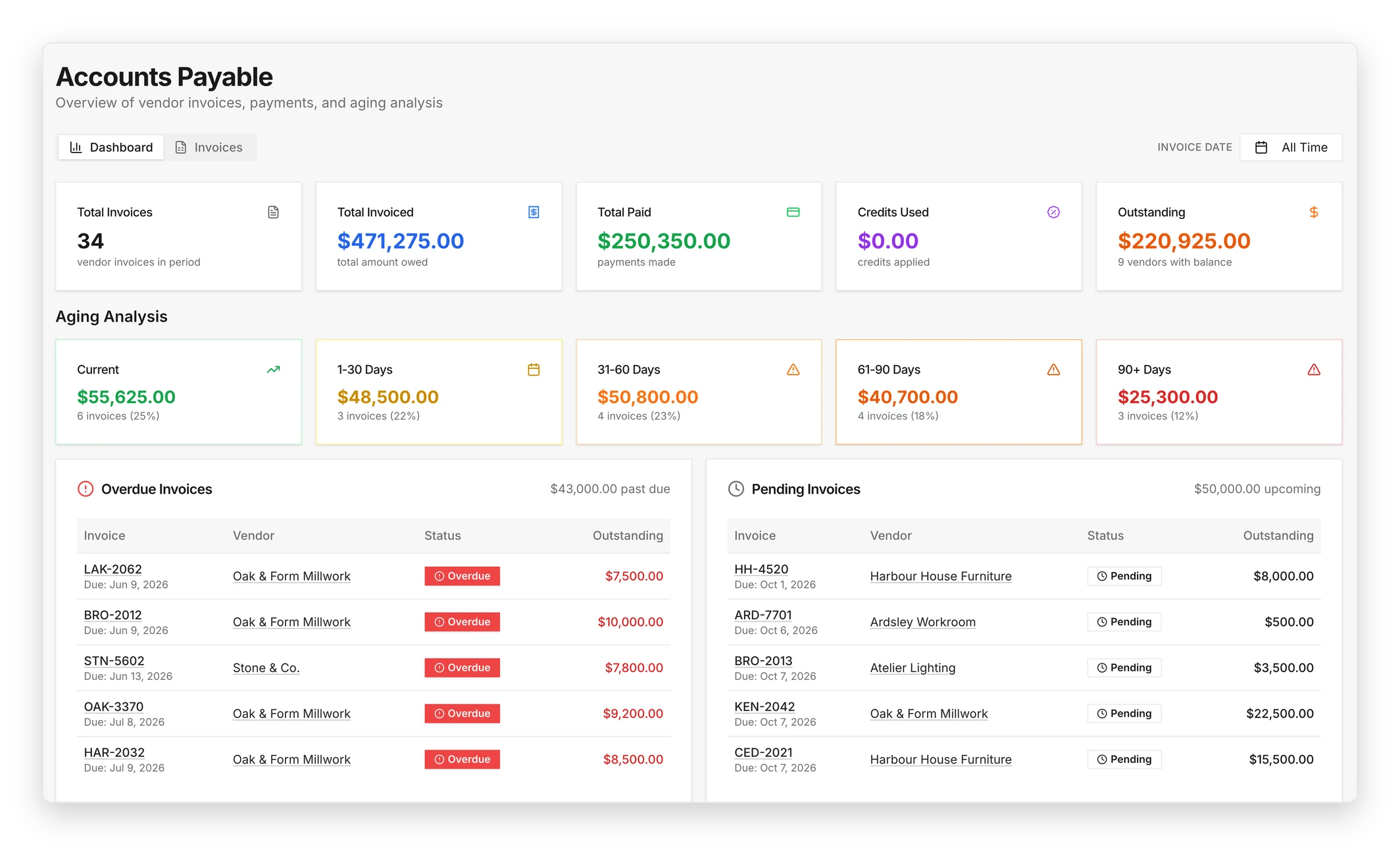
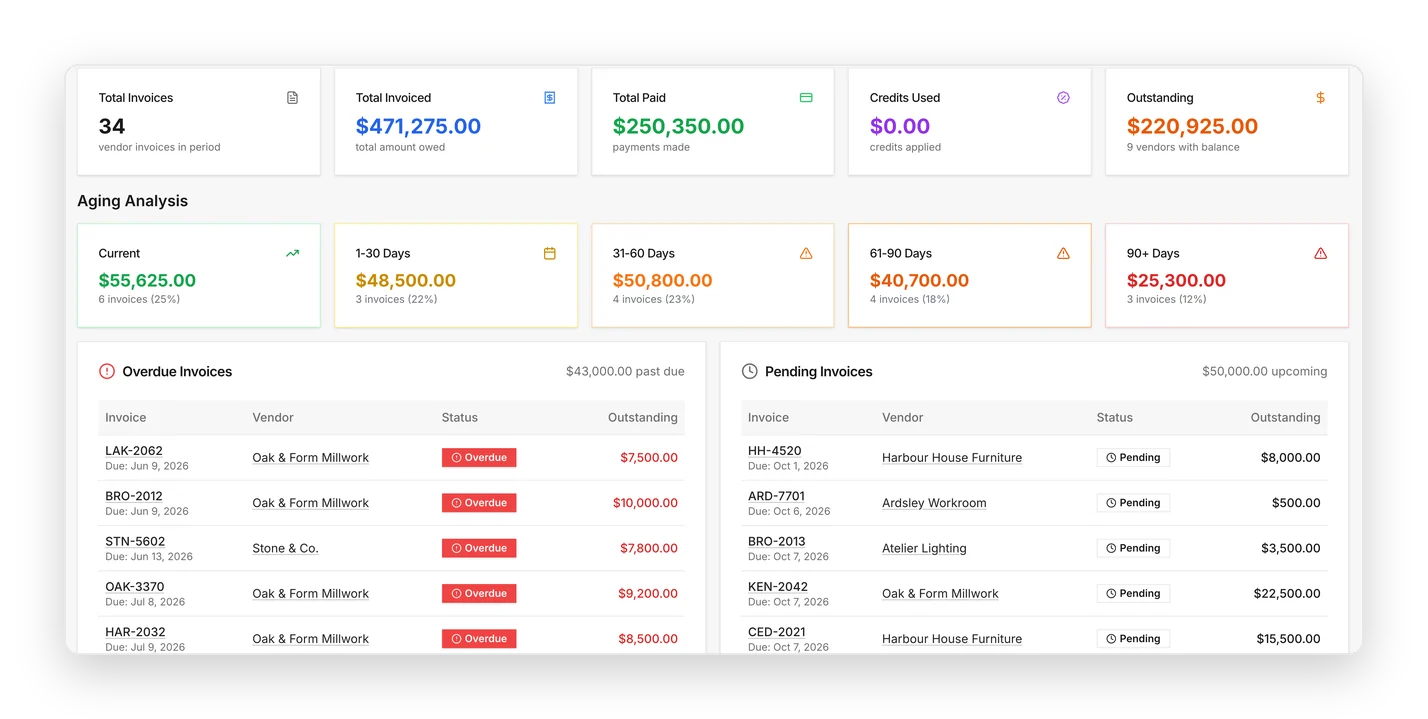
DesignDrive accounts payable with aging analysis and overdue vendor invoices

Accounting & Financials

Design-specific project accounting: commitments, retainers and profitability without a second system.

  • Project budgets
  • Purchase commitments
  • Vendor invoices
  • Client invoicing
  • Payments & receipts
  • Retainers & deposits
  • Credits & adjustments
  • Time & expenses
  • Reconciliation
  • Budget vs. actual
  • Project profitability
  • Financial reporting
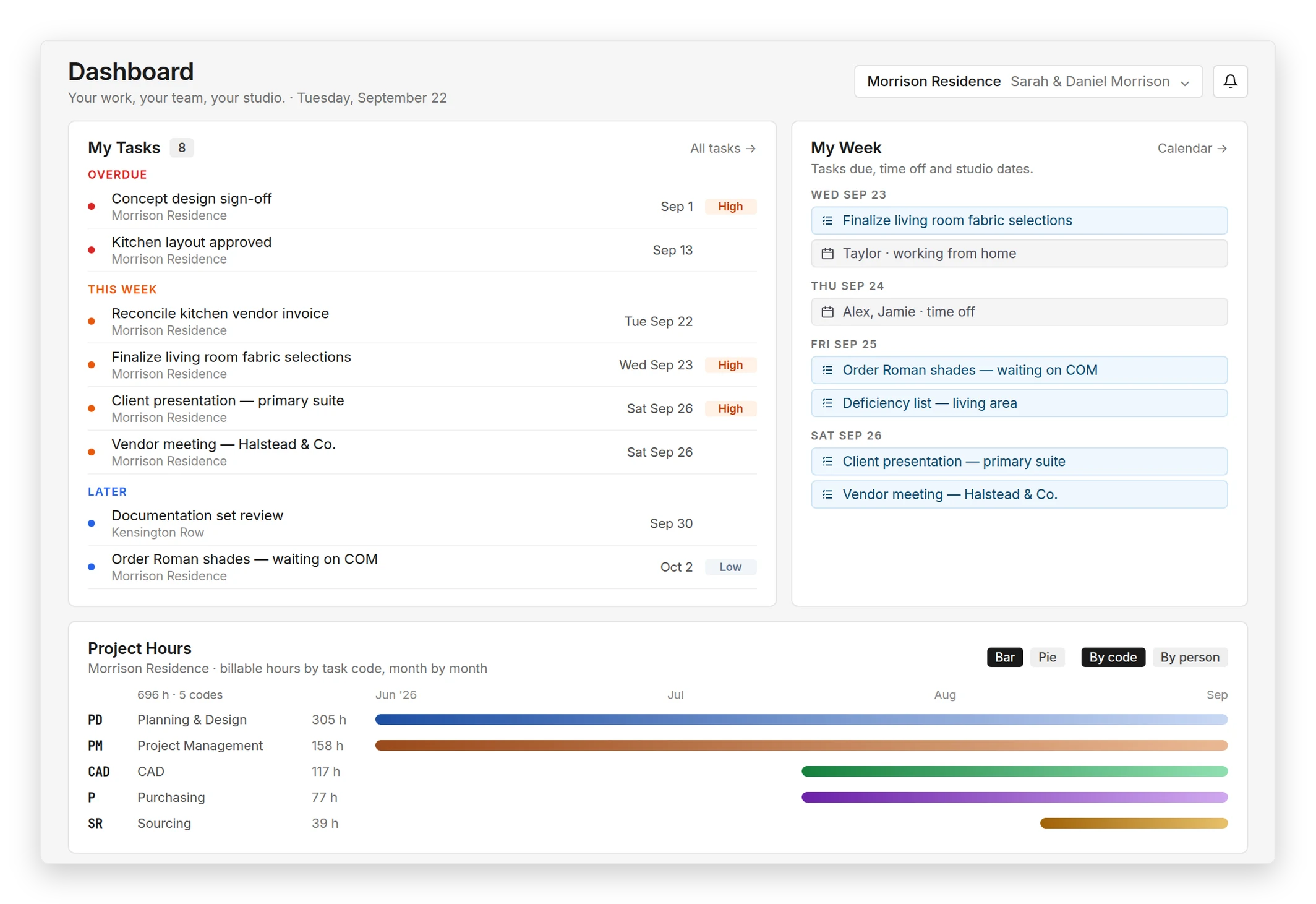
DesignDrive studio dashboard with overdue and upcoming tasks, the week ahead with time off, and project hours by task code

Studio

Capacity, time and the sample library in one place, so studio load is visible before it becomes a problem.

  • Studio calendar
  • Team capacity & workload
  • Vacation & PTO
  • Time tracking & approvals
  • Resource planning
  • Project staffing
  • Inventory & sample library
  • Studio tasks & announcements
  • Reporting & project health
  • Historical data & intelligence
DesignDrive project items grouped by room, with product images, approvals and phases

Projects

From first inquiry to final punch list, every scope, budget and selection lives on one project record.

  • Inquiries
  • Estimating
  • Scopes & contracts
  • Project budgets
  • Room budgets
  • Schedules & specifications
  • Selections & items
  • Proposals & client approvals
  • Tasks & milestones
  • Installation & closeout
DesignDrive order tracking with vendors, phases, tracking numbers and expected ship dates

Procurement

Purchase orders, vendors and freight tracked against the item they belong to — down to COM yardage.

  • Purchase orders
  • Vendor management
  • Vendor invoices
  • Order tracking & expediting
  • Receiving
  • Credits & claims
  • COM / COL tracking
  • Install readiness
DesignDrive accounts payable with aging analysis and overdue vendor invoices

Accounting & Financials

Design-specific project accounting: commitments, retainers and profitability without a second system.

  • Project budgets
  • Purchase commitments
  • Vendor invoices
  • Client invoicing
  • Payments & receipts
  • Retainers & deposits
  • Credits & adjustments
  • Time & expenses
  • Reconciliation
  • Budget vs. actual
  • Project profitability
  • Financial reporting
DesignDrive studio dashboard with overdue and upcoming tasks, the week ahead with time off, and project hours by task code

Studio

Capacity, time and the sample library in one place, so studio load is visible before it becomes a problem.

  • Studio calendar
  • Team capacity & workload
  • Vacation & PTO
  • Time tracking & approvals
  • Resource planning
  • Project staffing
  • Inventory & sample library
  • Studio tasks & announcements
  • Reporting & project health
  • Historical data & intelligence
DesignDrive project items grouped by room, with product images, approvals and phases

Projects

From first inquiry to final punch list, every scope, budget and selection lives on one project record.

  • Inquiries
  • Estimating
  • Scopes & contracts
  • Project budgets
  • Room budgets
  • Schedules & specifications
  • Selections & items
  • Proposals & client approvals
  • Tasks & milestones
  • Installation & closeout
DesignDrive order tracking with vendors, phases, tracking numbers and expected ship dates

Procurement

Purchase orders, vendors and freight tracked against the item they belong to — down to COM yardage.

  • Purchase orders
  • Vendor management
  • Vendor invoices
  • Order tracking & expediting
  • Receiving
  • Credits & claims
  • COM / COL tracking
  • Install readiness
DesignDrive accounts payable with aging analysis and overdue vendor invoices

Accounting & Financials

Design-specific project accounting: commitments, retainers and profitability without a second system.

  • Project budgets
  • Purchase commitments
  • Vendor invoices
  • Client invoicing
  • Payments & receipts
  • Retainers & deposits
  • Credits & adjustments
  • Time & expenses
  • Reconciliation
  • Budget vs. actual
  • Project profitability
  • Financial reporting
DesignDrive studio dashboard with overdue and upcoming tasks, the week ahead with time off, and project hours by task code

Studio

Capacity, time and the sample library in one place, so studio load is visible before it becomes a problem.

  • Studio calendar
  • Team capacity & workload
  • Vacation & PTO
  • Time tracking & approvals
  • Resource planning
  • Project staffing
  • Inventory & sample library
  • Studio tasks & announcements
  • Reporting & project health
  • Historical data & intelligence

One connected project record.

Information carries forward as the project moves.

  • Selections connect to approvals.
  • Approvals connect to purchasing.
  • Purchasing connects to vendor costs, billing and reporting.

The project and its accounting stay connected from estimate through final payment.

One project. One connected history.

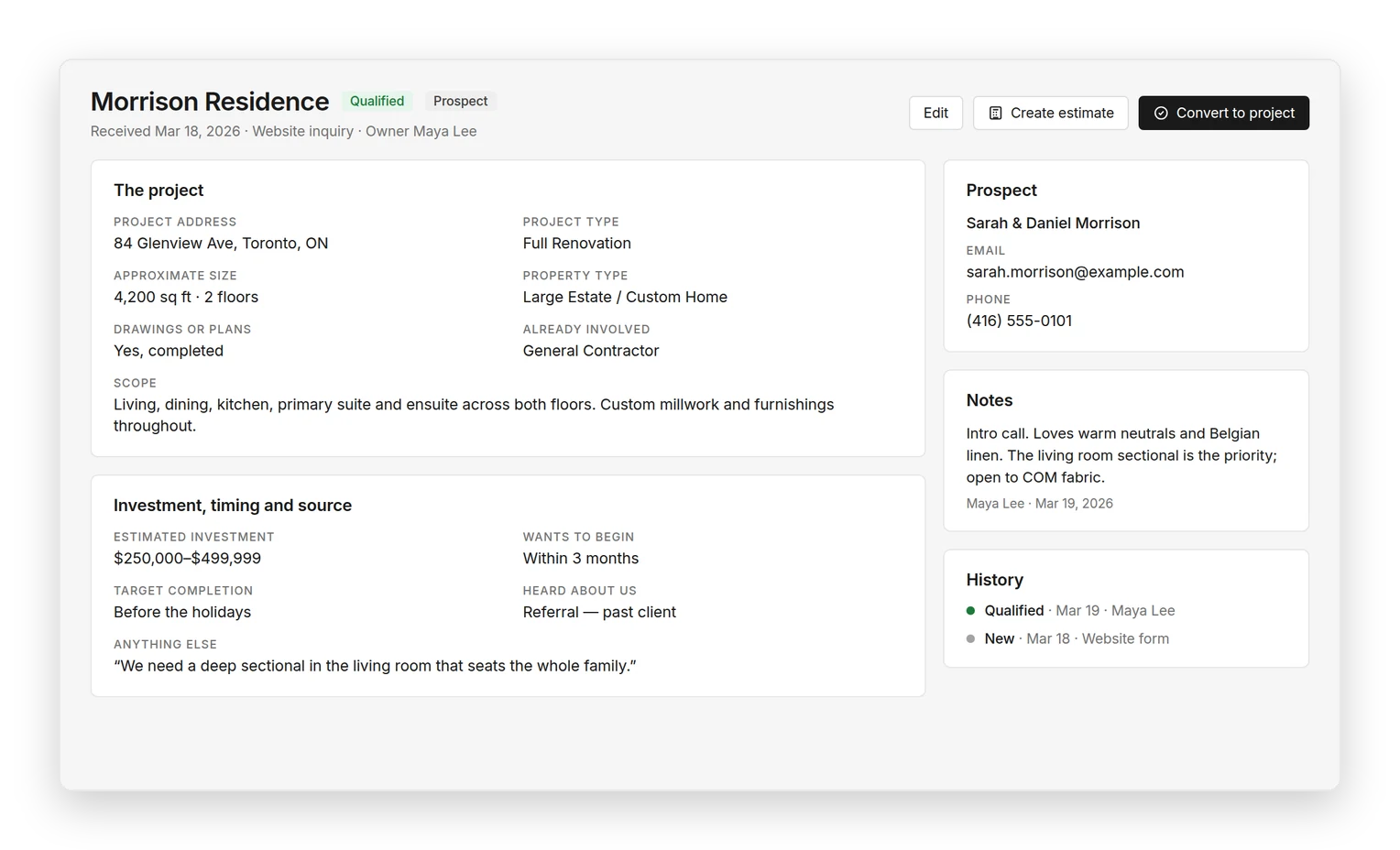
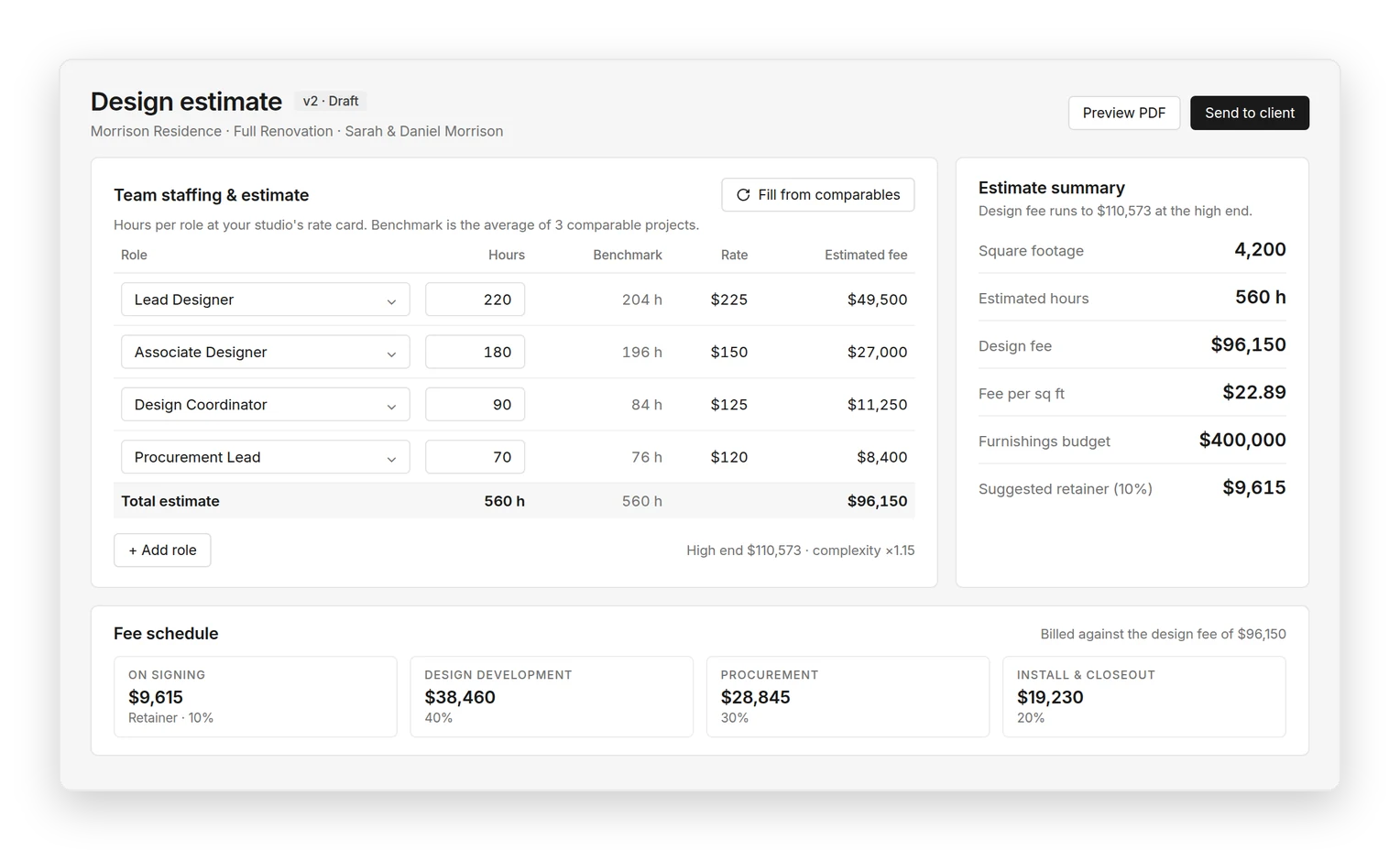
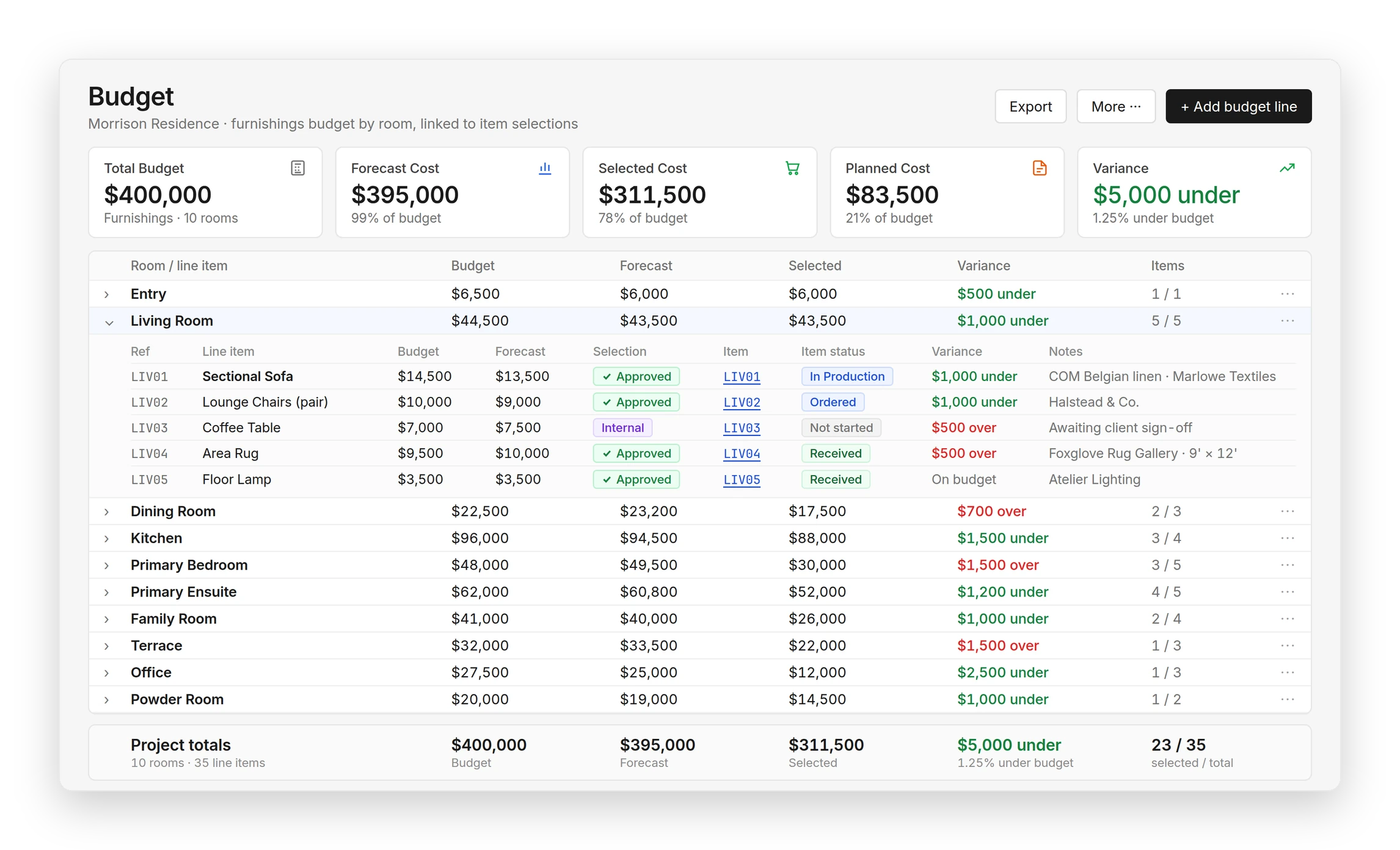
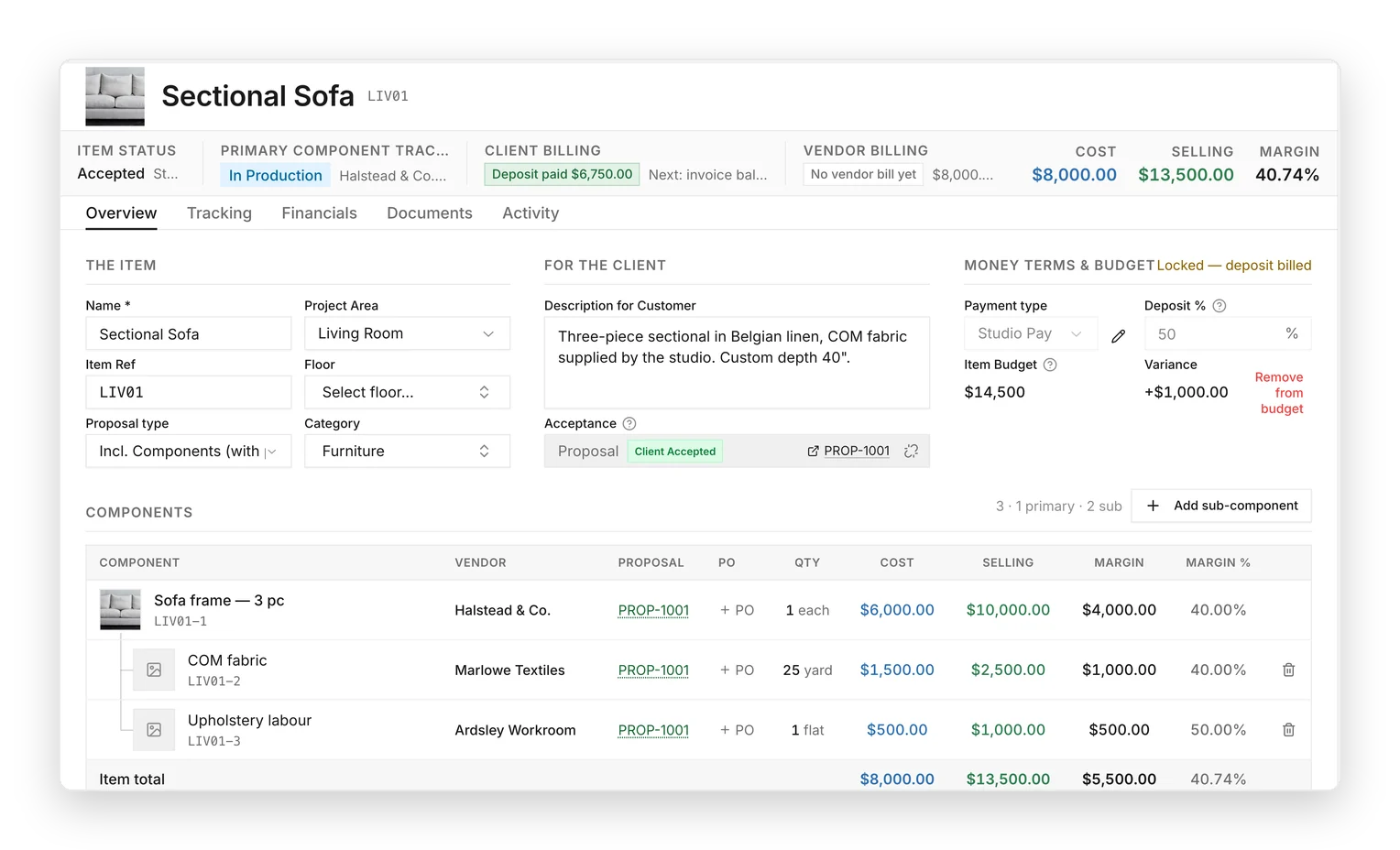
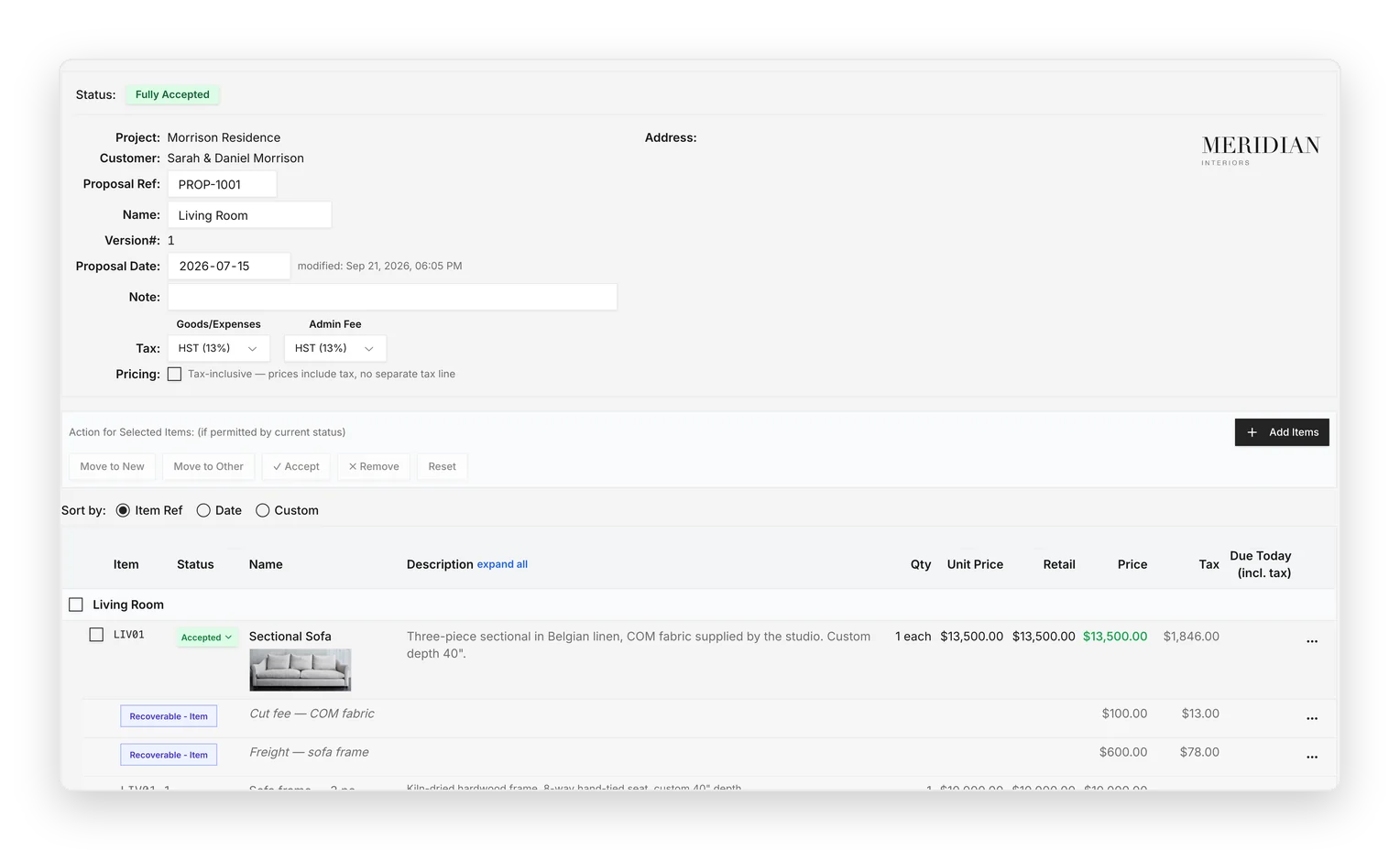
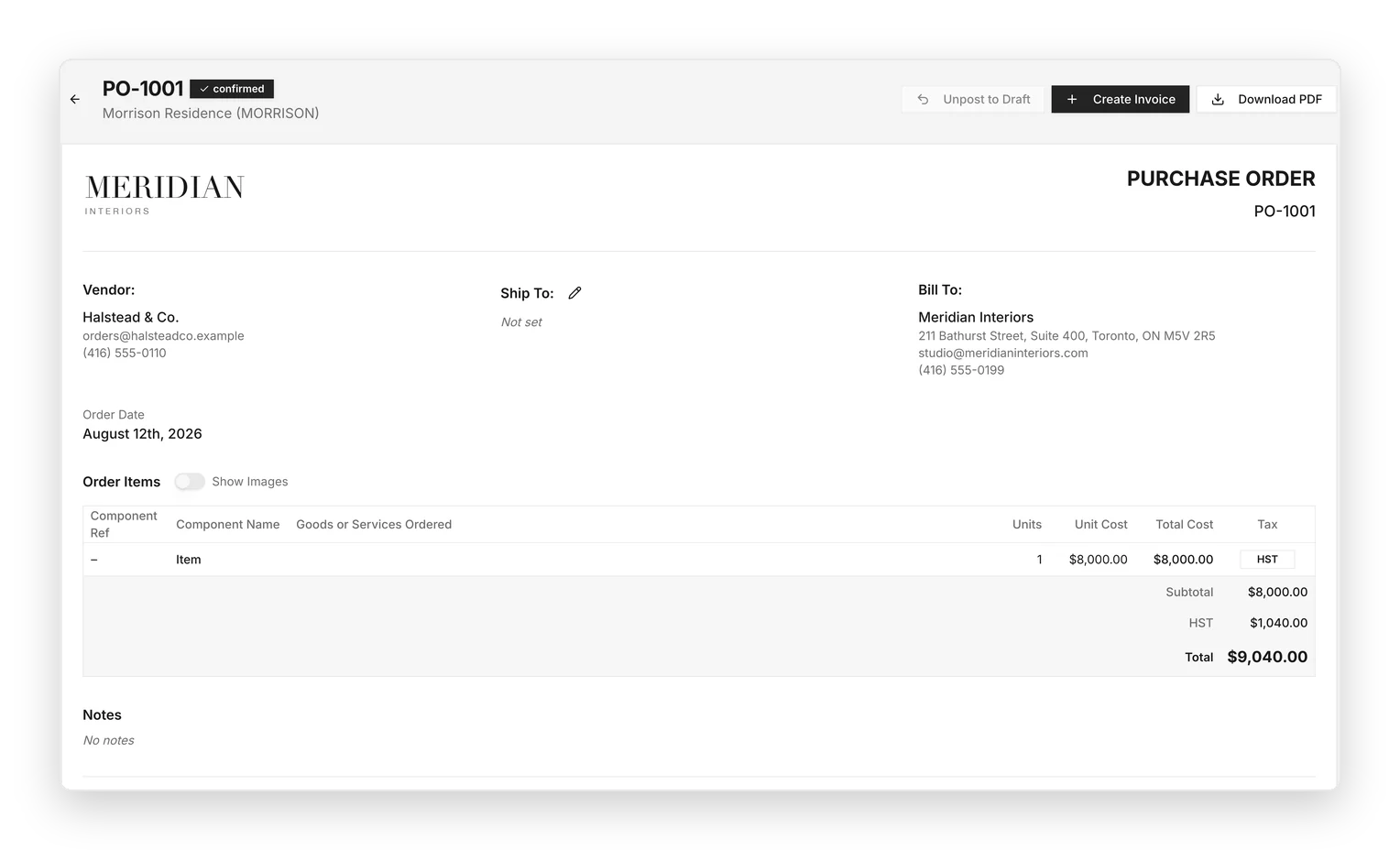
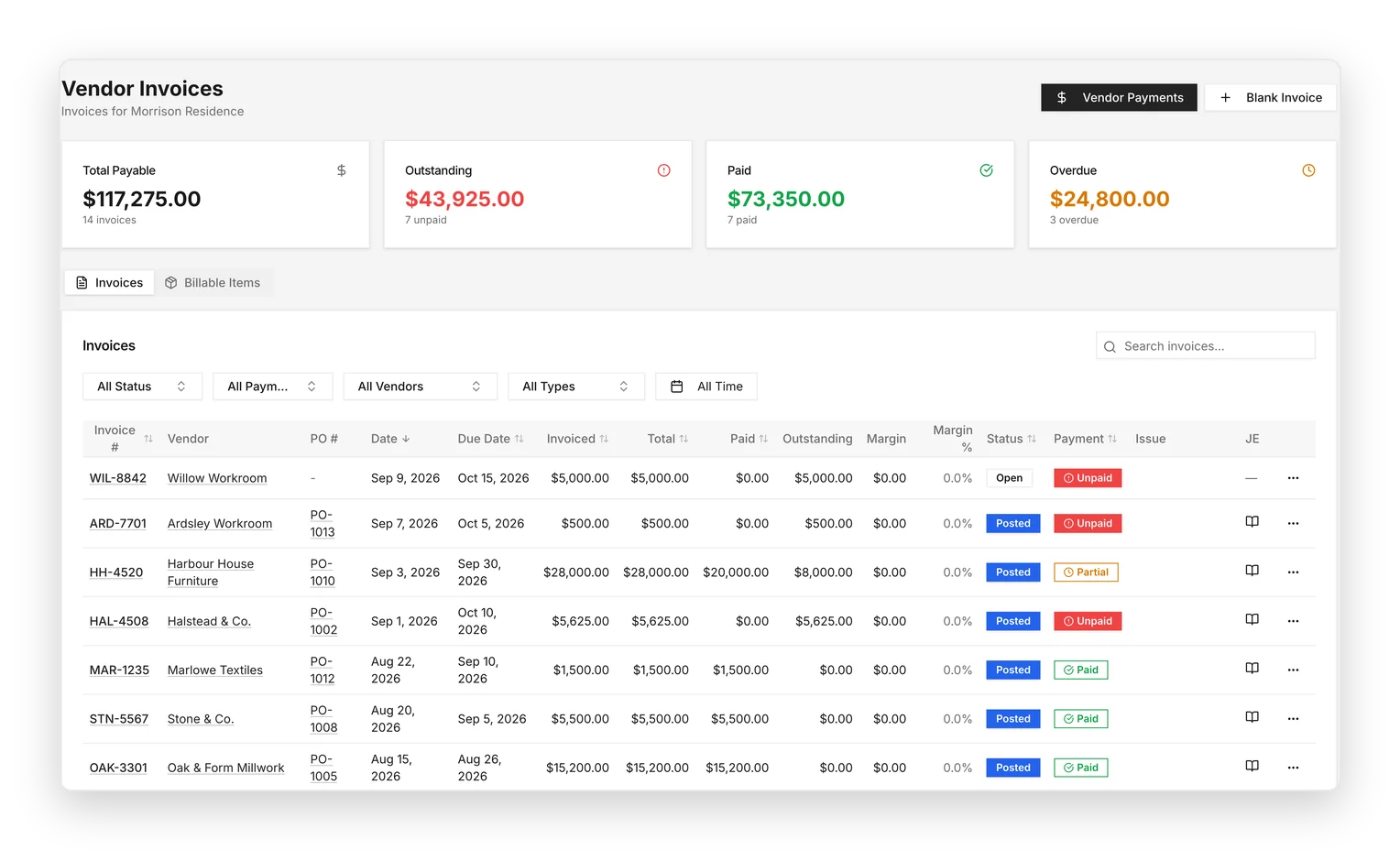
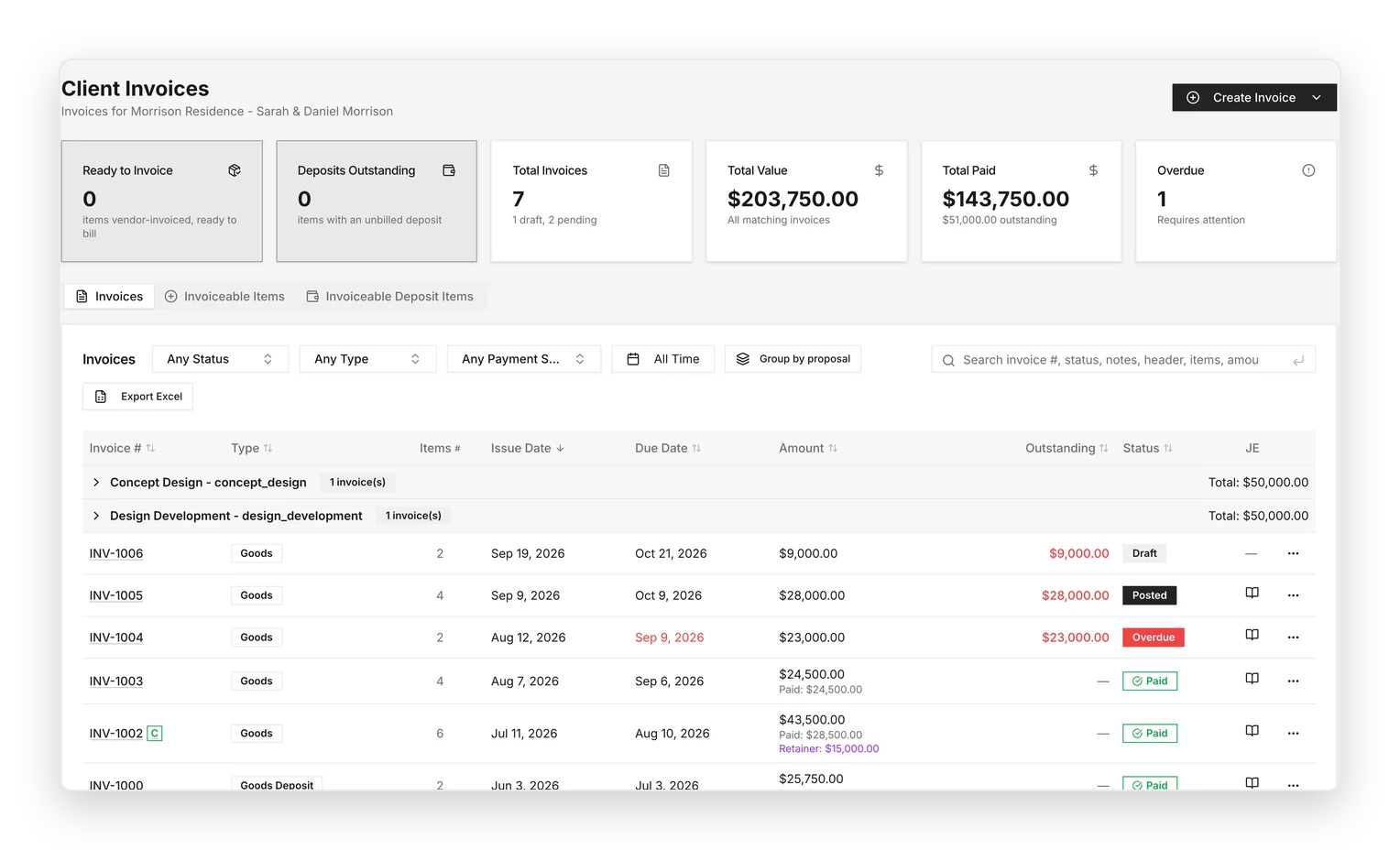
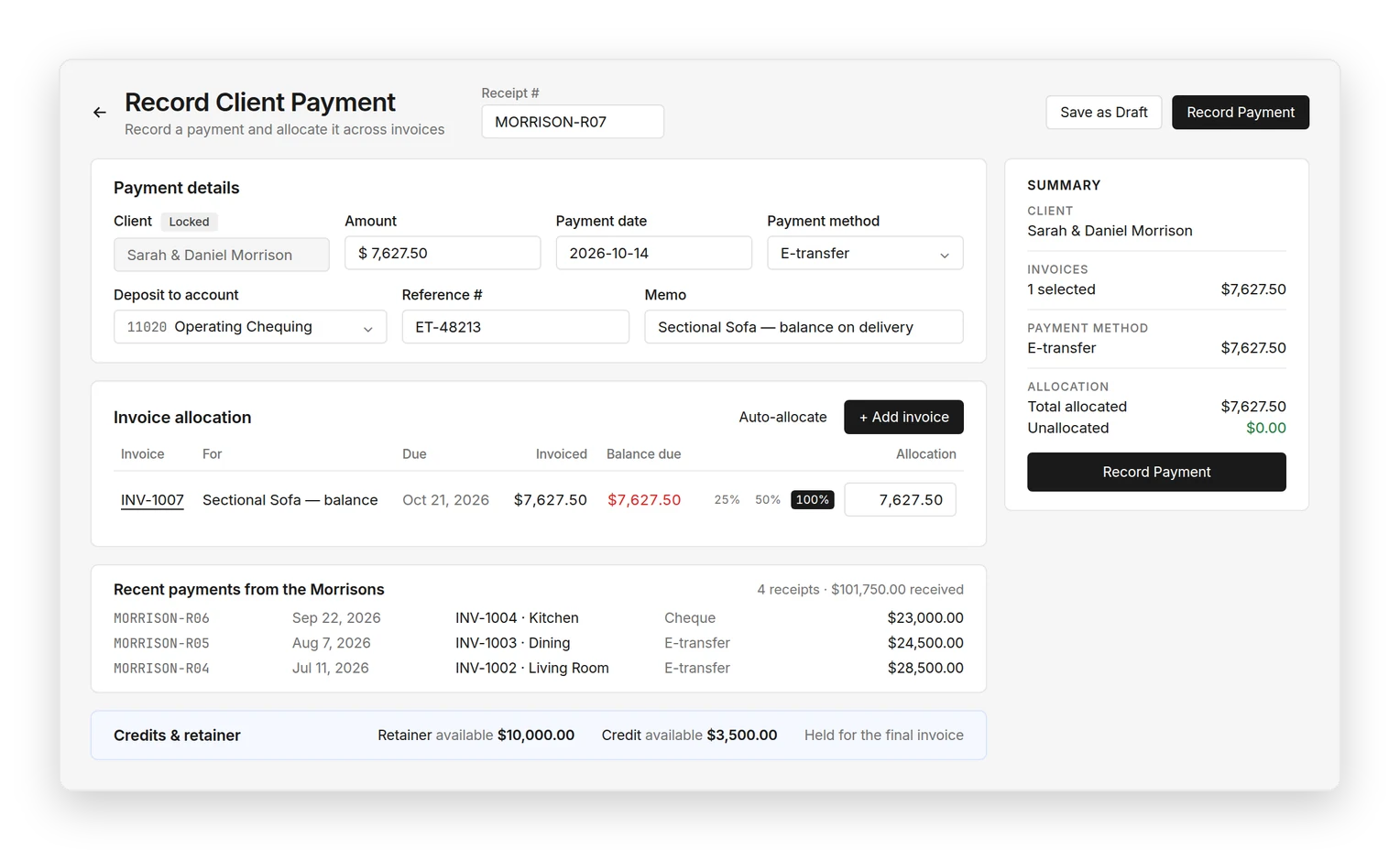
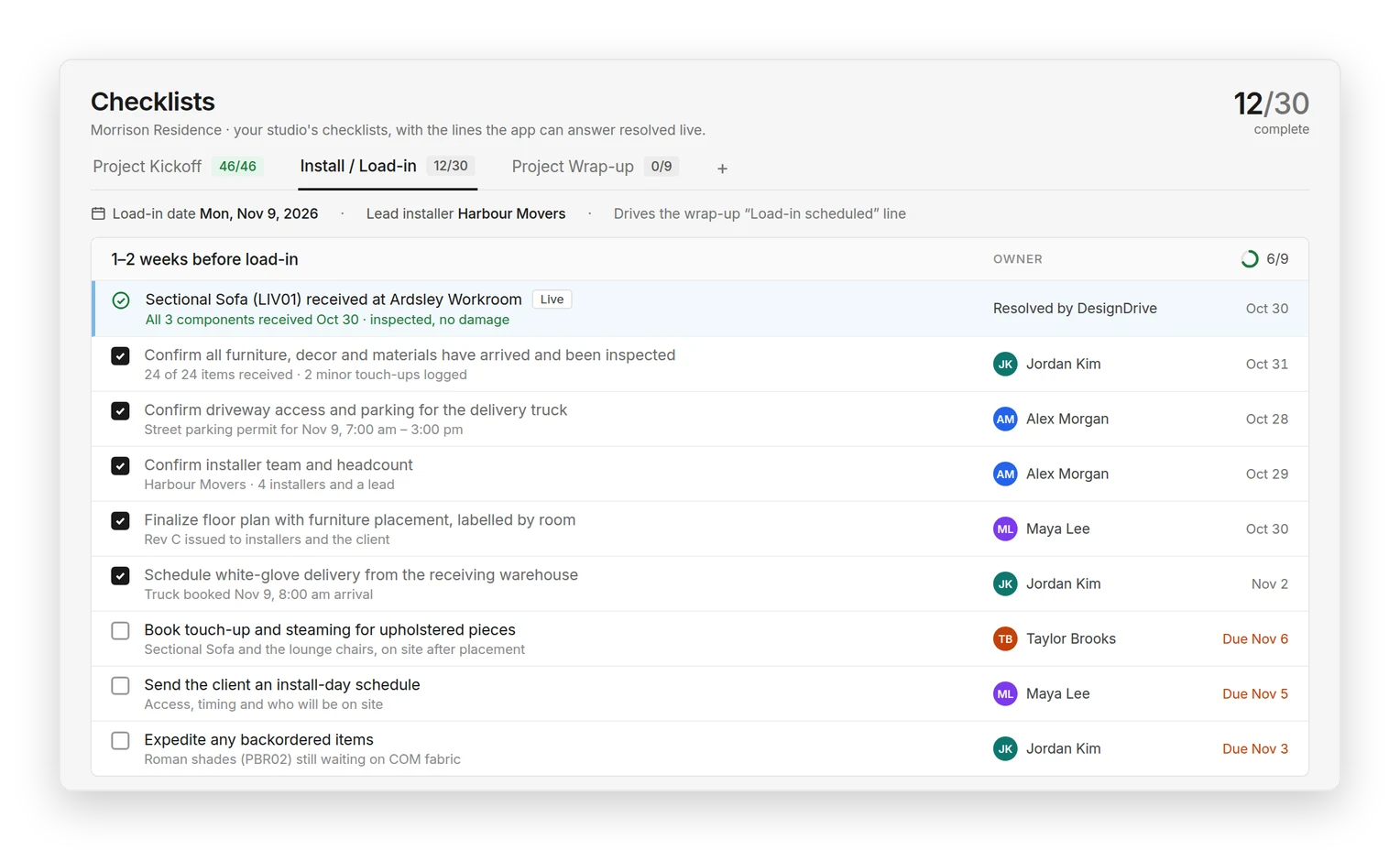
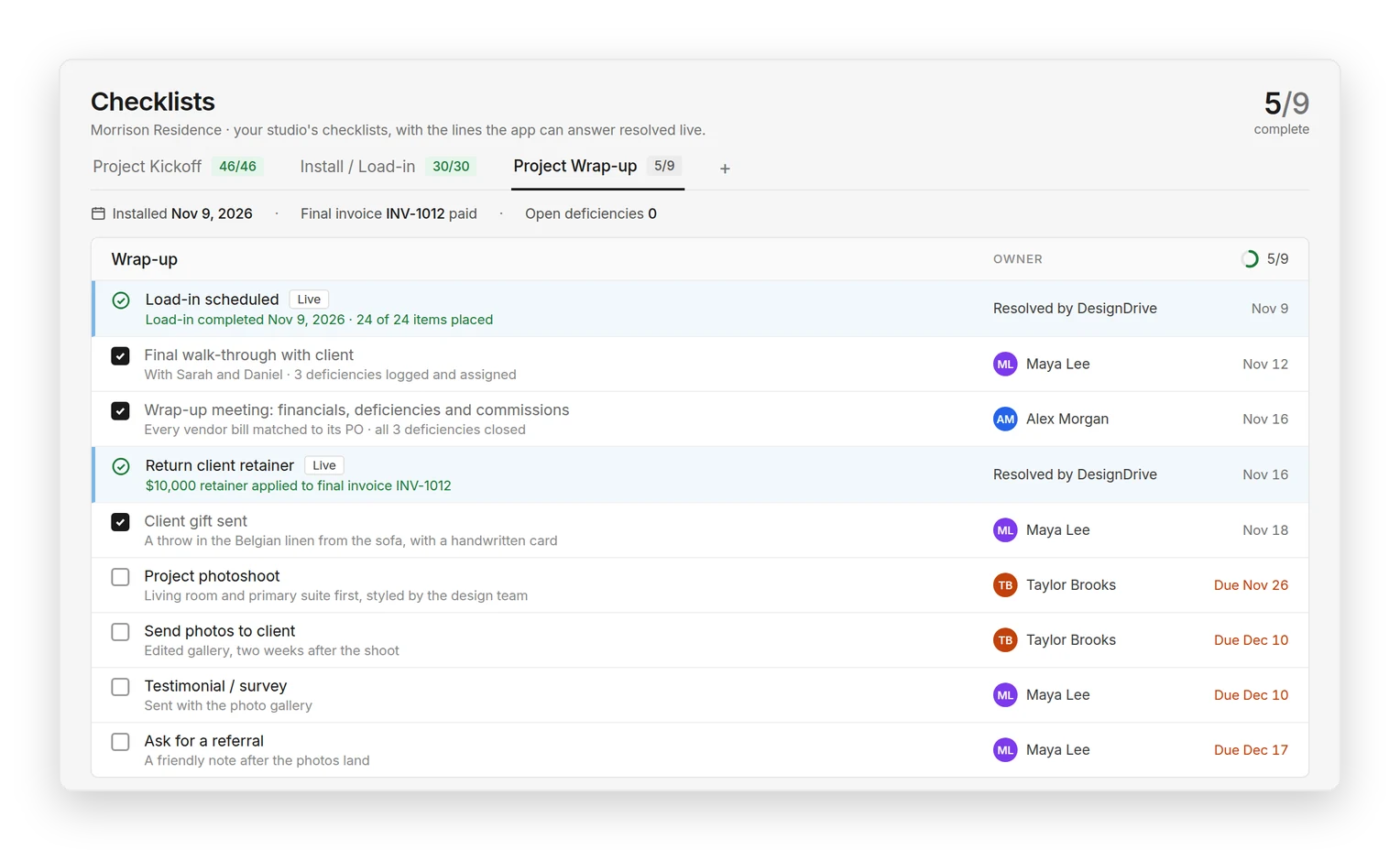
Morrison Residence inquiry: qualified prospect, 4,200 sq ft full renovation, asking for a deep living room sectionalDesign estimate: team staffing by role, $96,150 design fee, $400,000 furnishings budget and fee scheduleMorrison Residence furnishings budget: $400,000 across 10 rooms, with the Living Room expanded to show the Sectional Sofa budgeted at $14,500 and selected at $13,500Sectional Sofa item with its frame, COM fabric and upholstery labour componentsLiving Room proposal PROP-1001, fully accepted, with the Sectional Sofa lineConfirmed purchase order PO-1001 to Halstead and Co.Vendor invoices for the project, each tied to its purchase orderClient invoices for the Morrison Residence with amounts, outstanding balances and statusRecording a $7,627.50 e-transfer from the Morrisons against the Sectional Sofa balance invoiceInstall and load-in checklist with the Sectional Sofa confirmed received and inspectedProject wrap-up checklist with load-in complete and the $10,000 retainer applied to the final invoice

One connected system for the projects, financials and people behind an interior design firm.

Project management. Procurement. Project accounting. Studio operations.

Join the launch list

Project accounting, without the second system.

Budgeted, Committed, Actual, Invoiced, Collected, Outstanding, Margin

DesignDrive manages the financial life of the project in the same place as the work itself.

Purchase orders connect to vendor invoices. Vendor costs connect to client billing. Retainers, deposits, credits, payments, time and expenses remain tied to the same project record.

From budgeting and purchasing through invoicing, payments, reconciliation and project profitability, DesignDrive is designed to replace the separate project-accounting system many firms rely on alongside their project-management software.

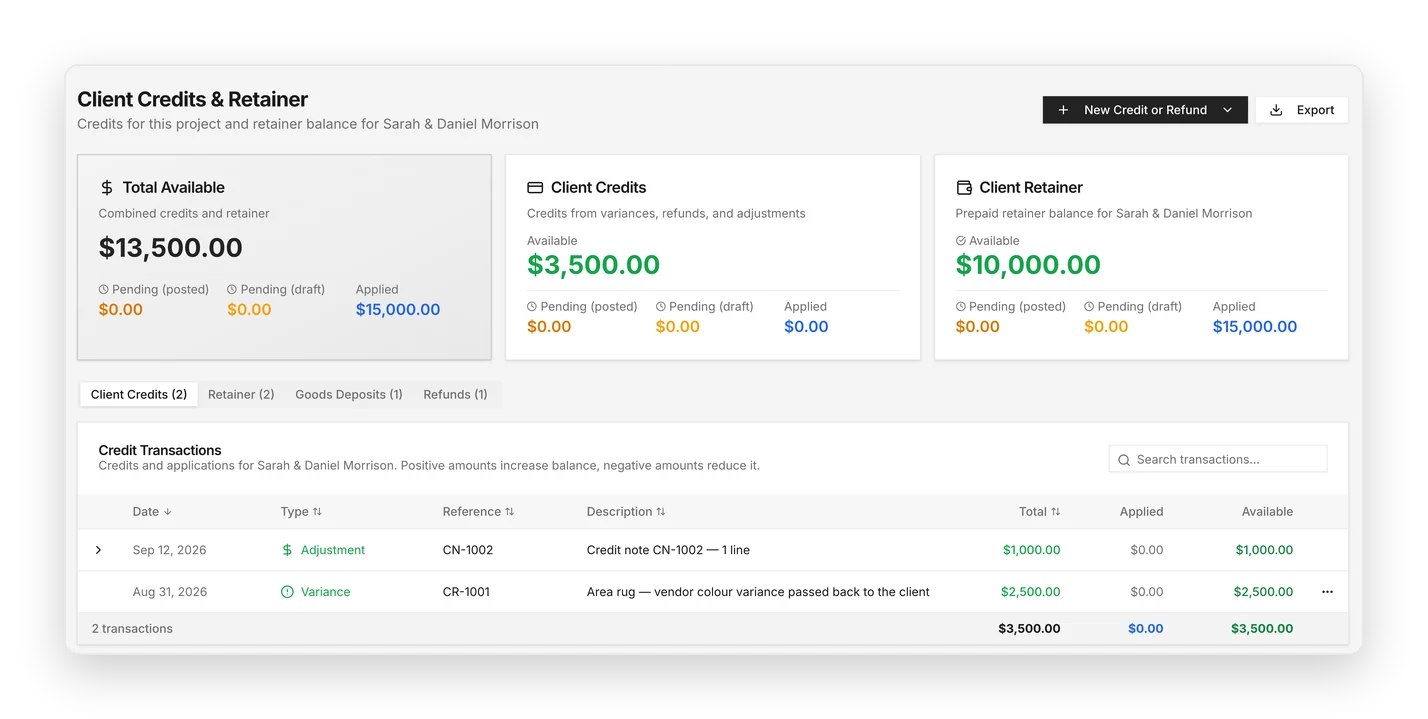
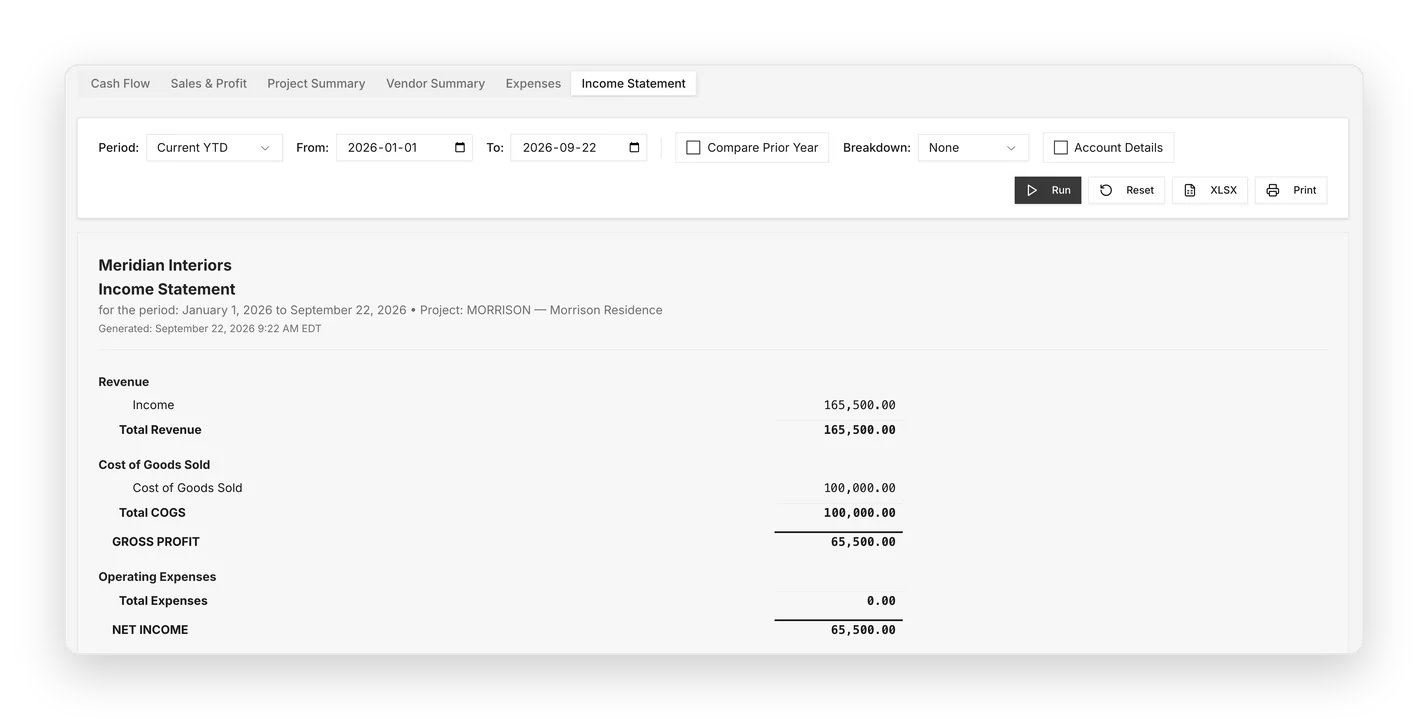
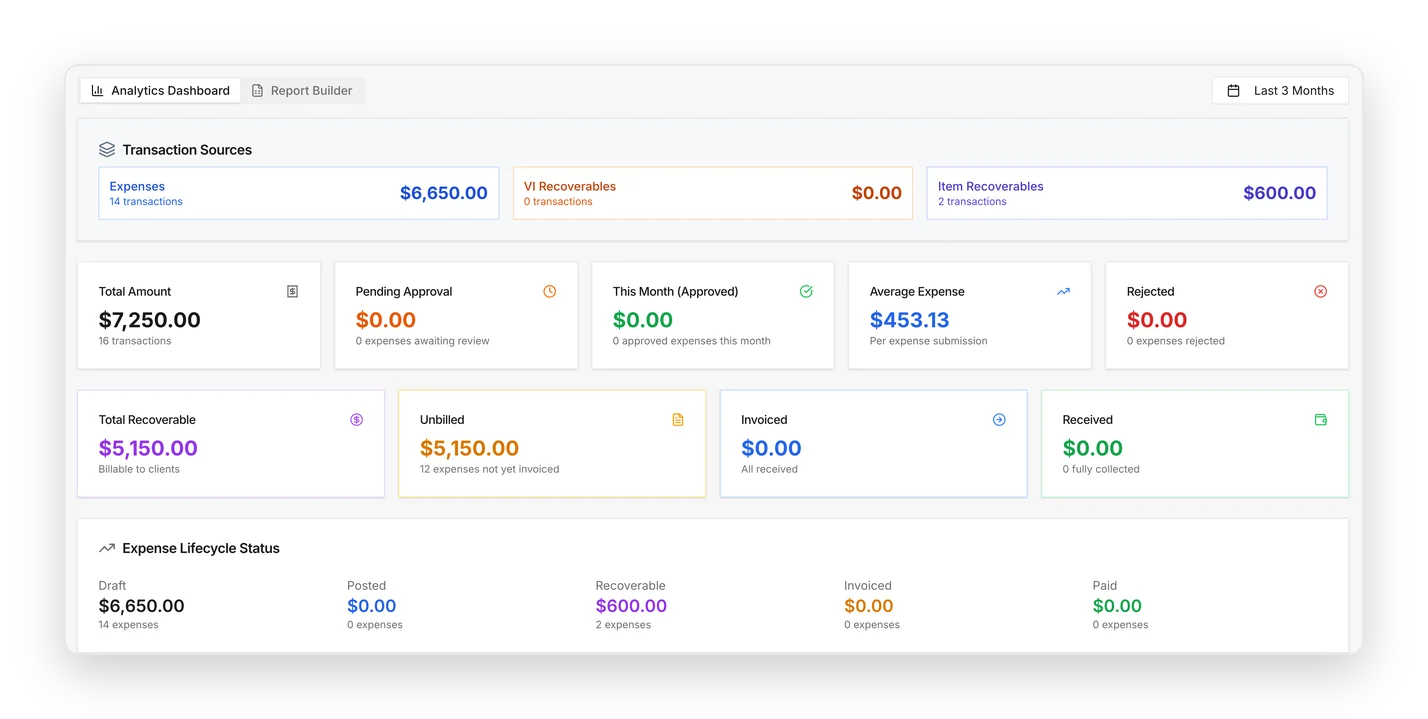
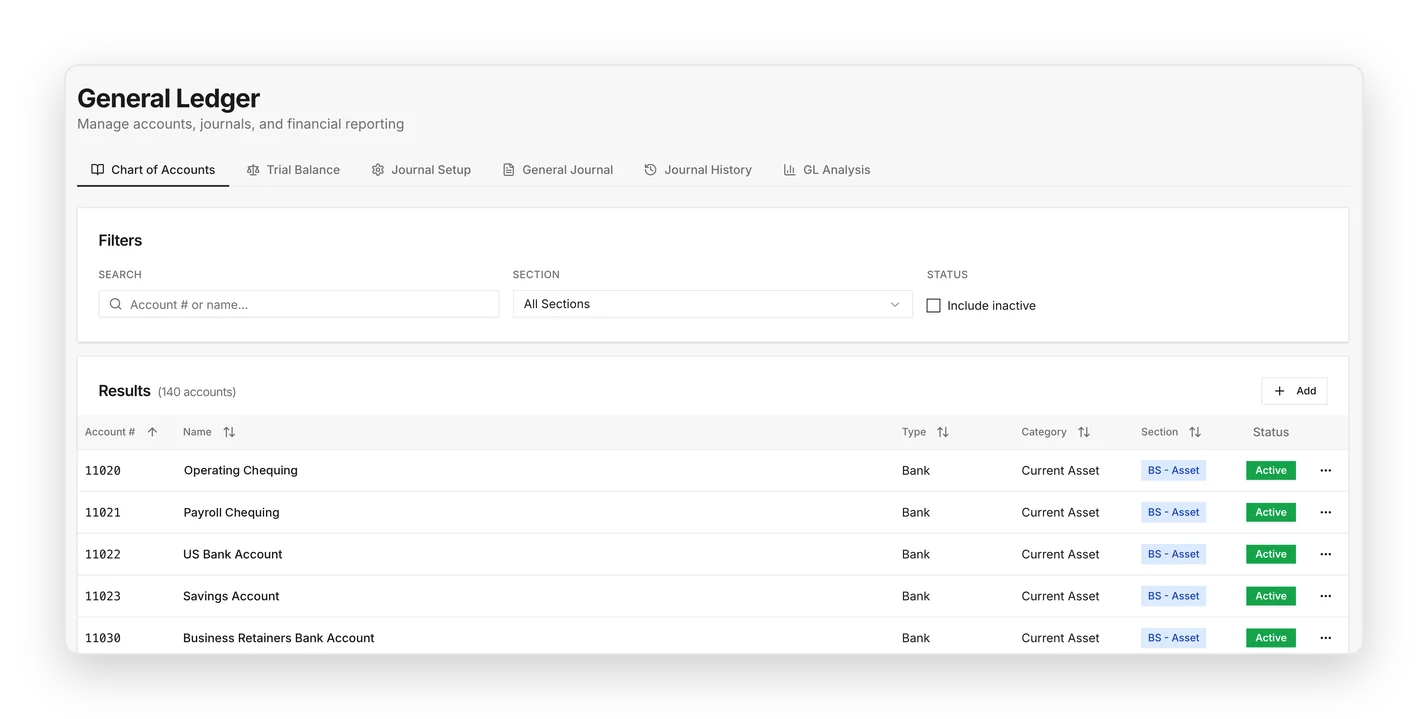
Client credits and retainer balances with credit transactionsAccounts payable aging with overdue and pending vendor invoicesExpense analysis with recoverable, unbilled and invoiced expensesGeneral ledger chart of accounts with bank accountsProject income statement for the Morrison Residence

Built with interior design accountants, the financial side of DesignDrive reflects the way design firms actually purchase, bill, collect and report.

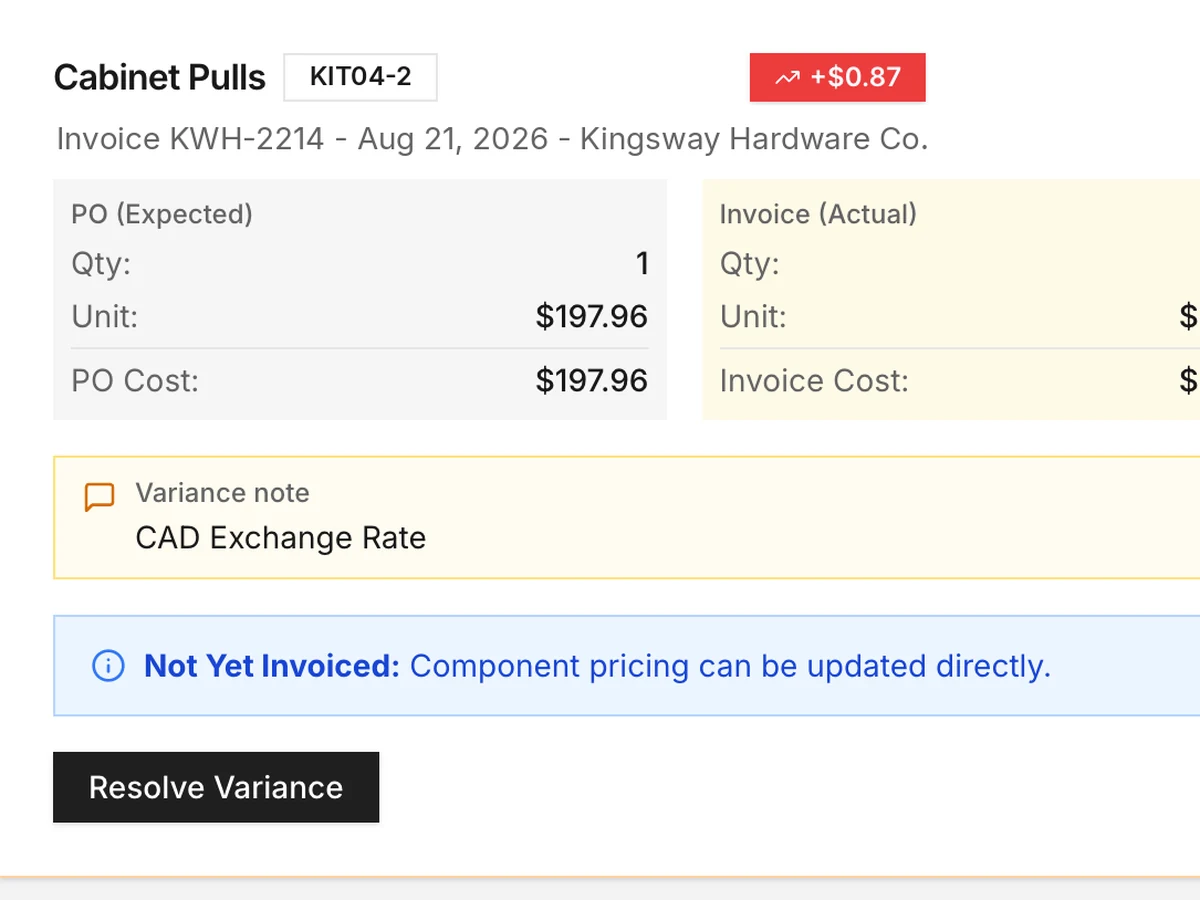
DesignDrive also surfaces the exceptions that need attention:

Vendor invoice variance on cabinet pulls: $197.96 on the PO, $198.83 invoiced, noted as a CAD exchange rate difference

Vendor invoice variances

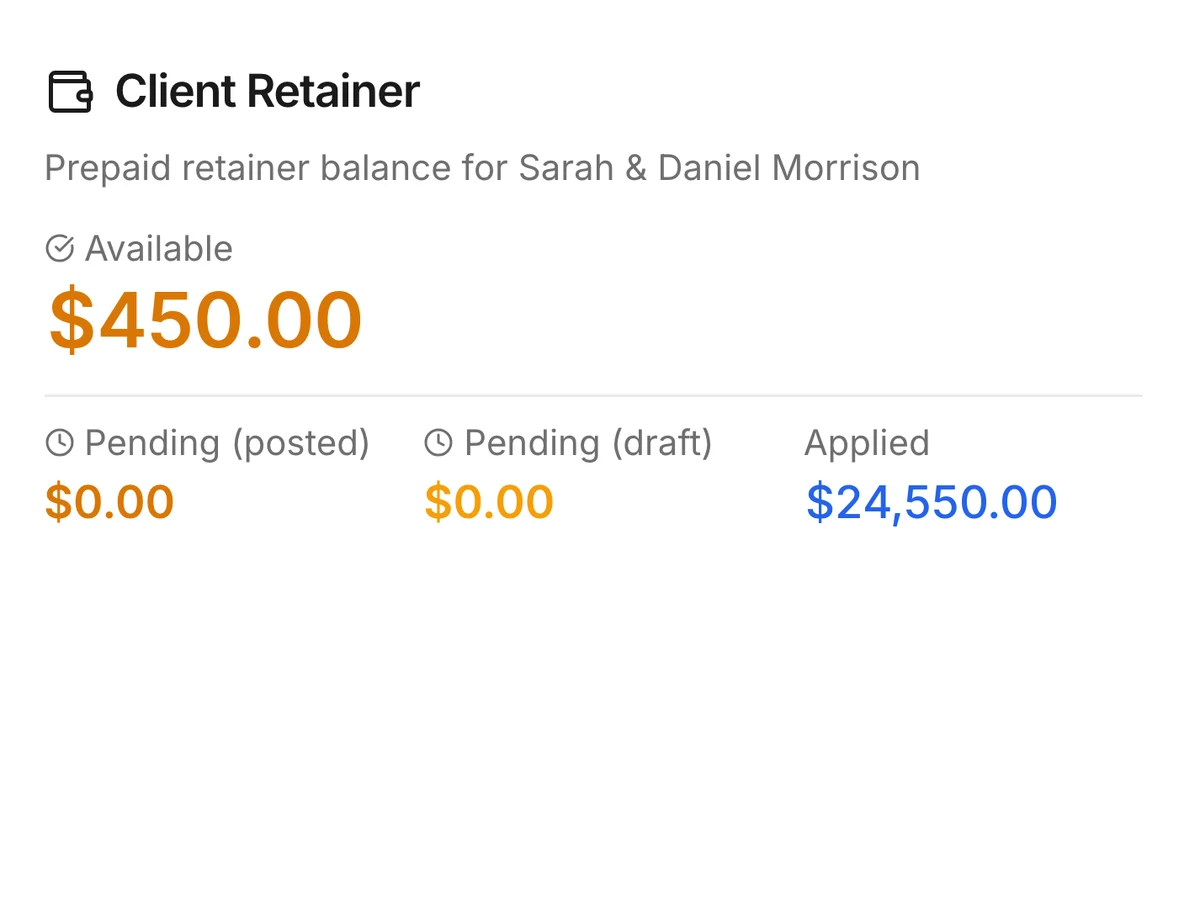
Client retainer with only $450 available after $24,550 applied

Low retainer balances

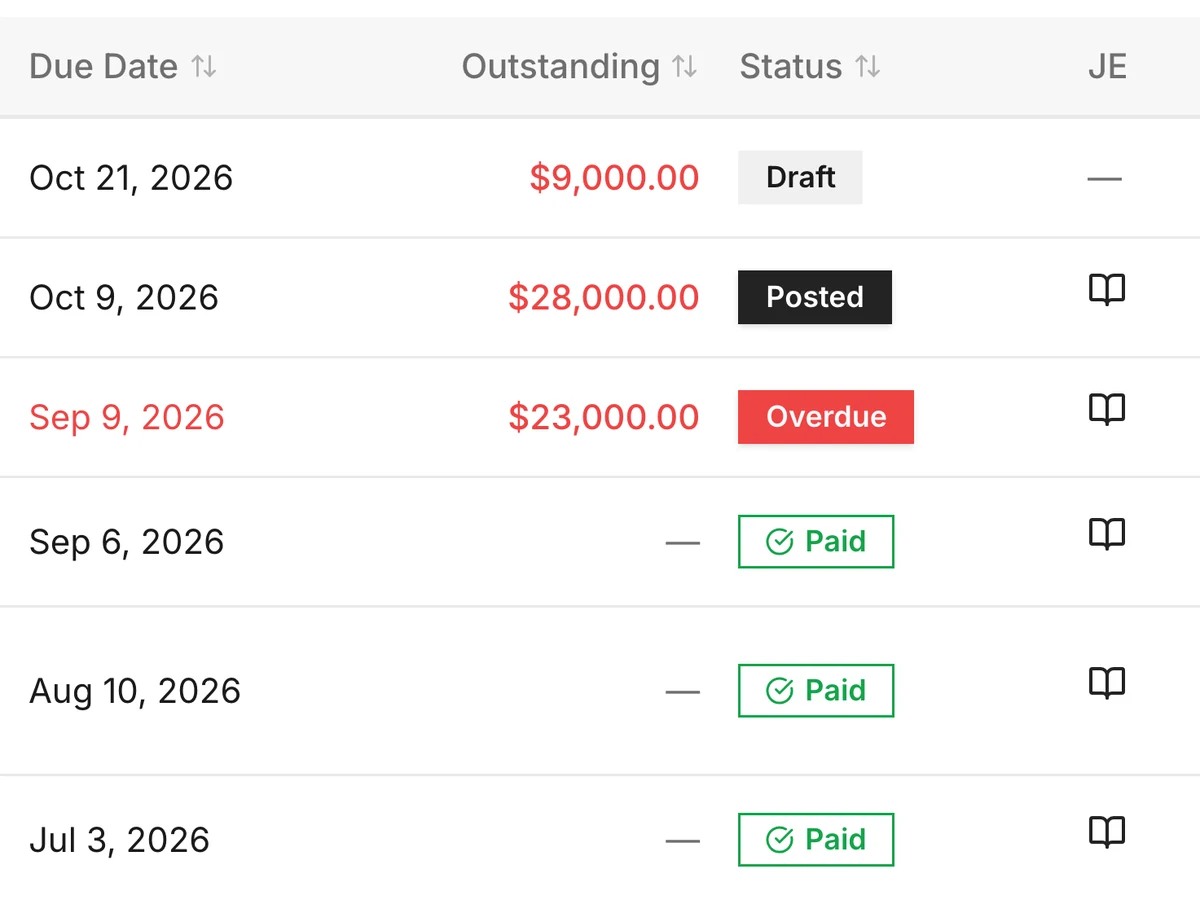
Client invoices by due date with outstanding amounts, one overdue

Outstanding client payments

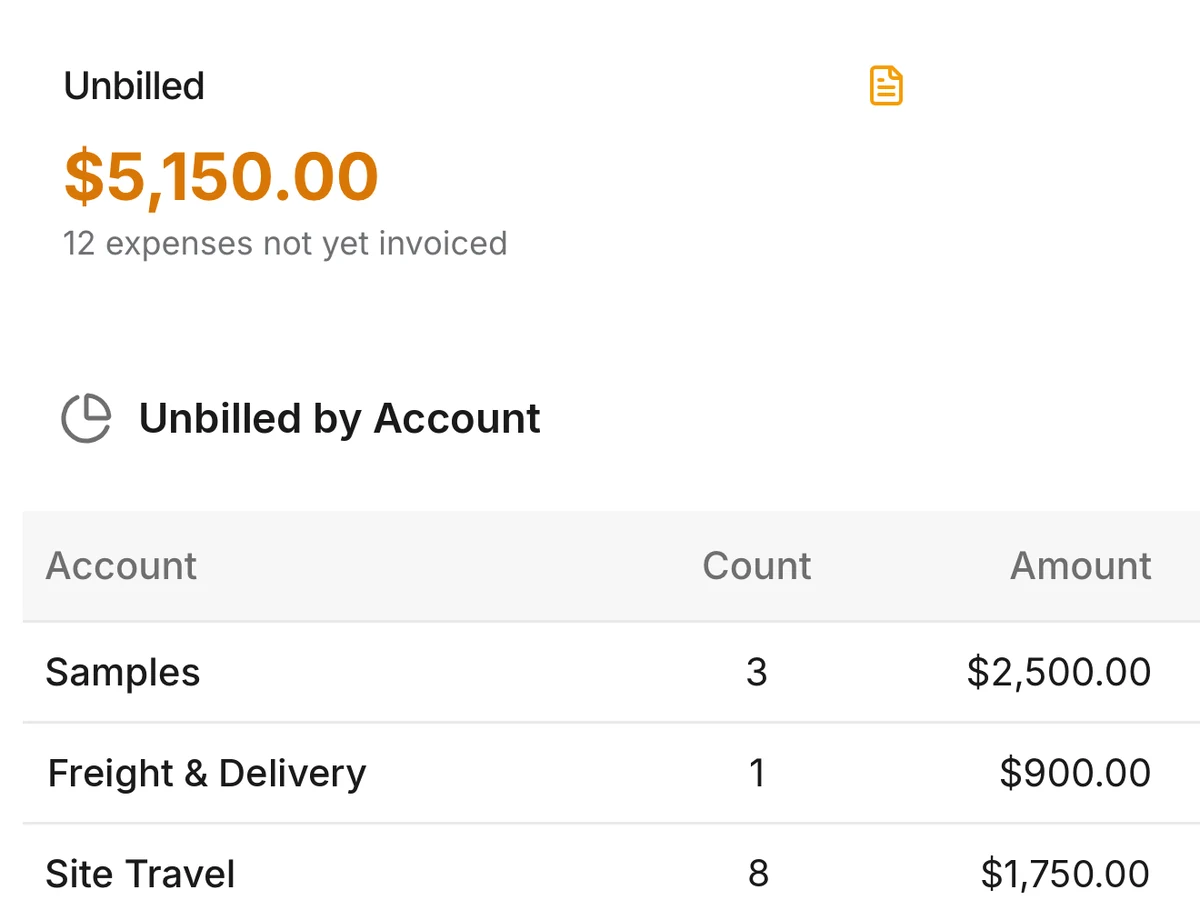
$5,150 unbilled across 12 expenses: $2,500 samples, $900 freight and delivery, $1,750 site travel

Unbilled time and expenses

Area rug and floor lamp accepted but not started

Approved items not yet ordered

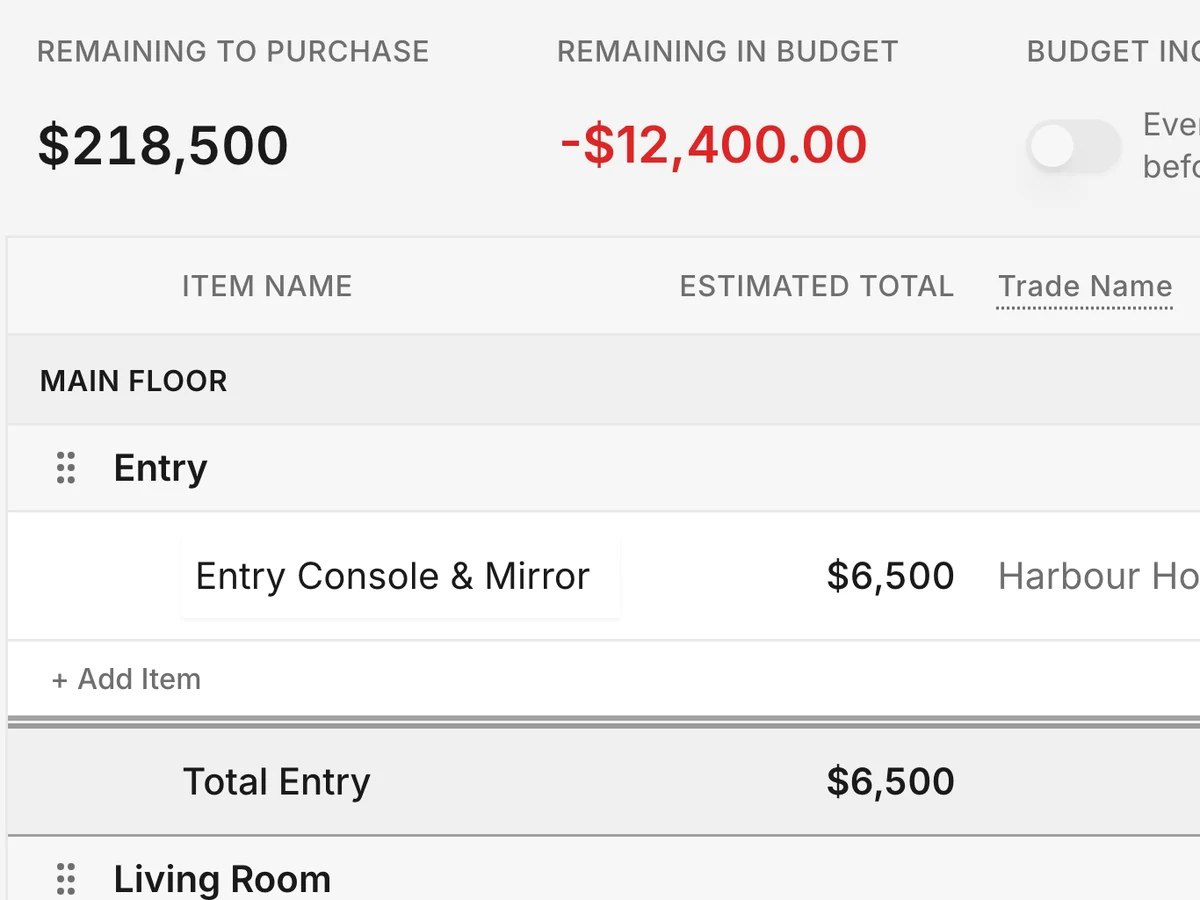
Budget with $218,500 still to purchase and $12,400 over budget

Budget and fee pressure

Manage the studio, not just the projects.

See team capacity, workload, time, vacation, project staffing, deadlines and studio-wide activity in one place.

DesignDrive gives owners and operations teams visibility across the firm, not only within individual projects.

Understand what is happening across the business:

  • Who has capacity
  • Where time is being spent
  • Which projects need attention
  • What is coming up across the studio
  • How projects are performing
  • What past projects can tell you about the next one

Project information feeds the wider studio view, so leadership can make decisions without piecing together information from separate calendars, spreadsheets and systems.

One system for the projects and the studio behind them.

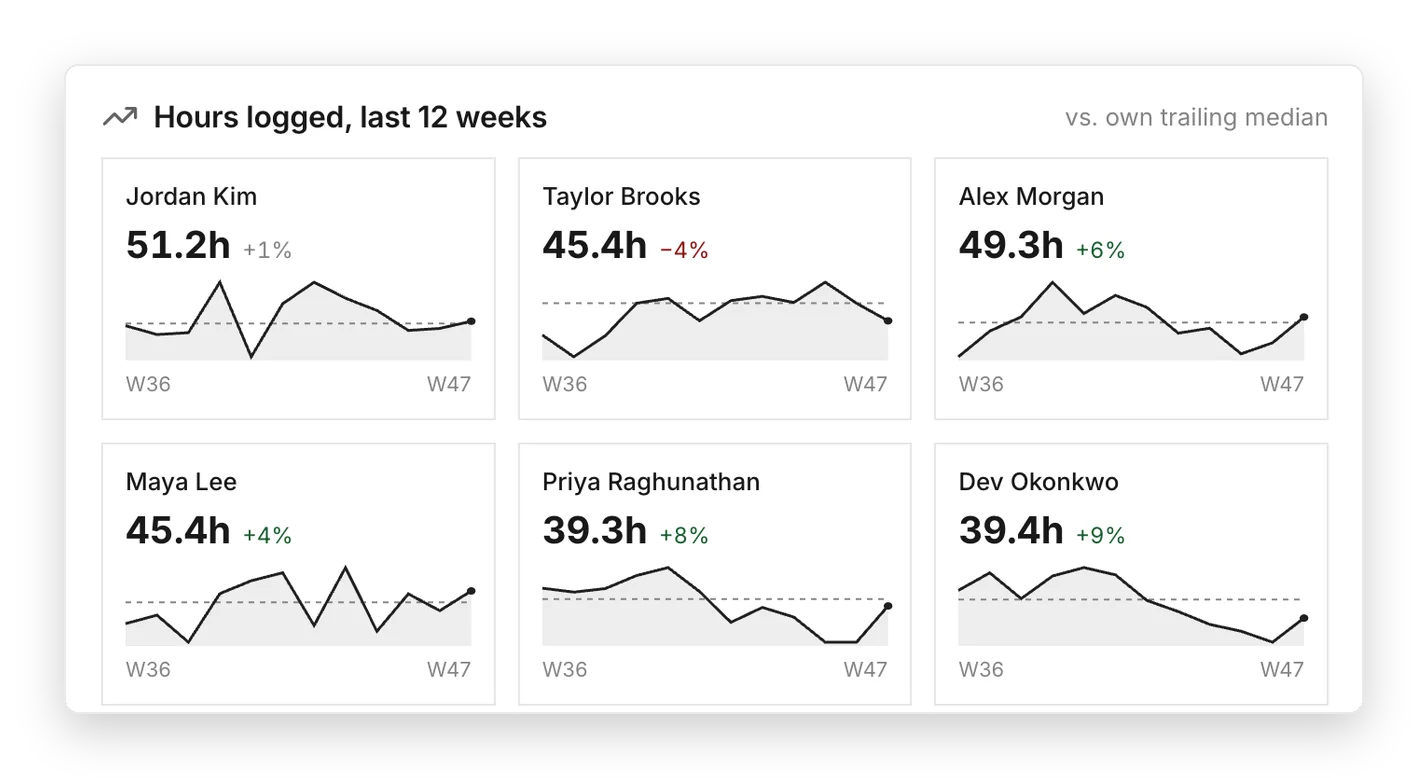
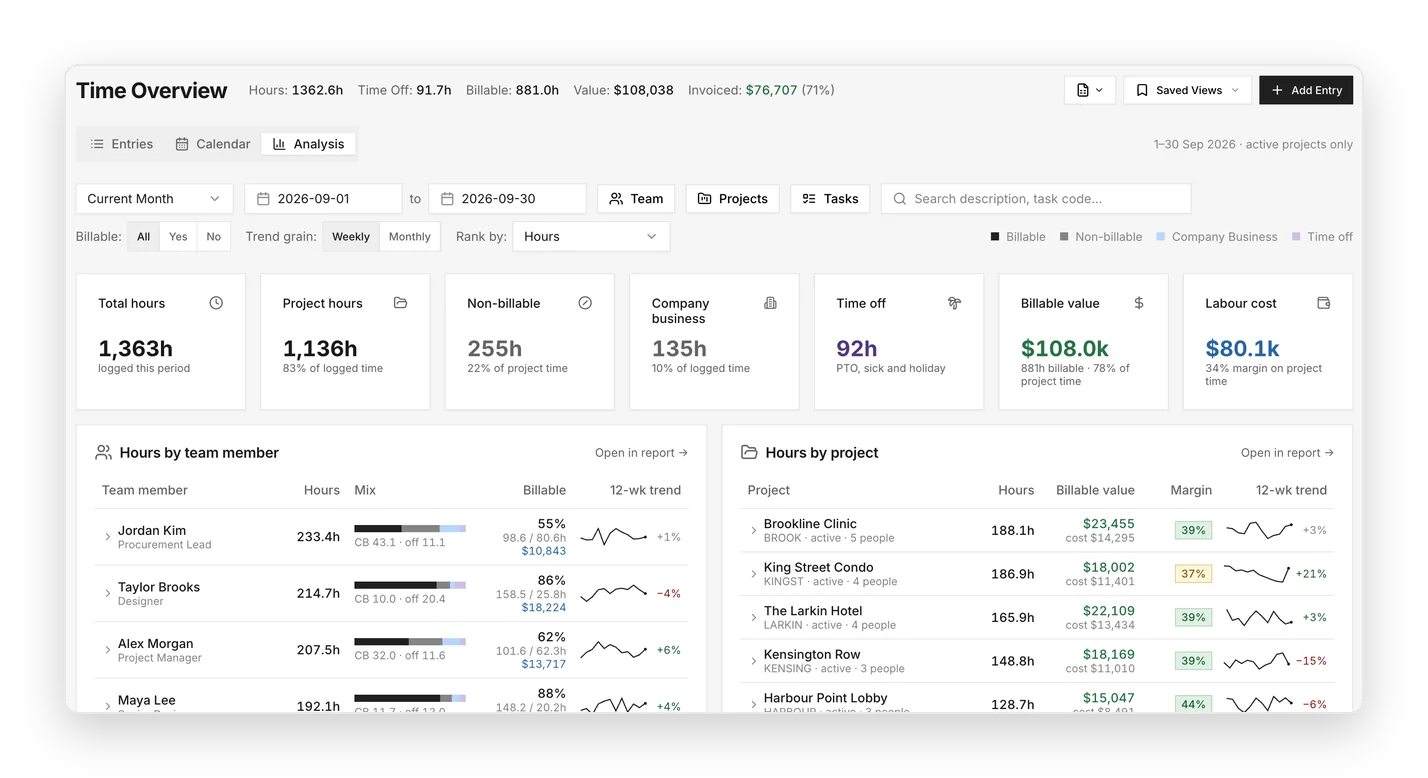
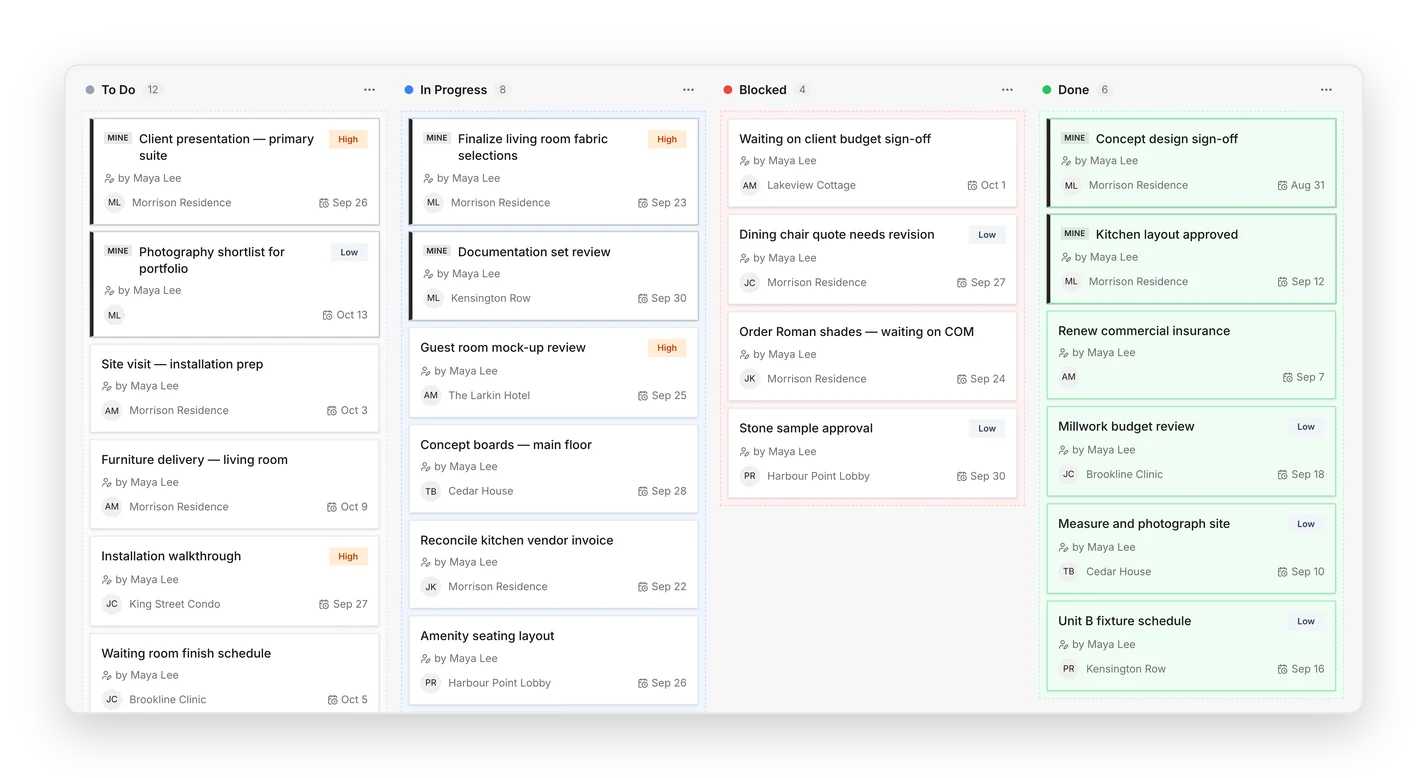
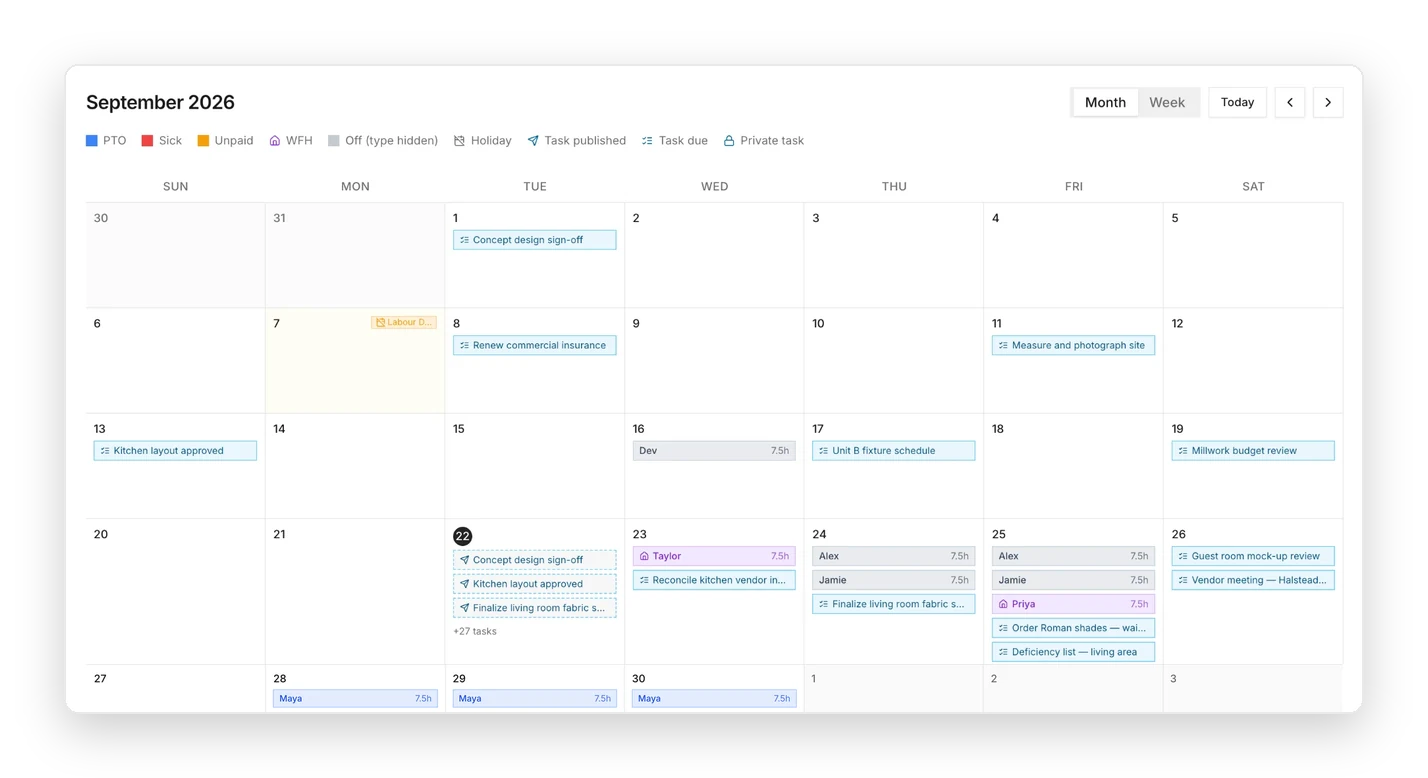
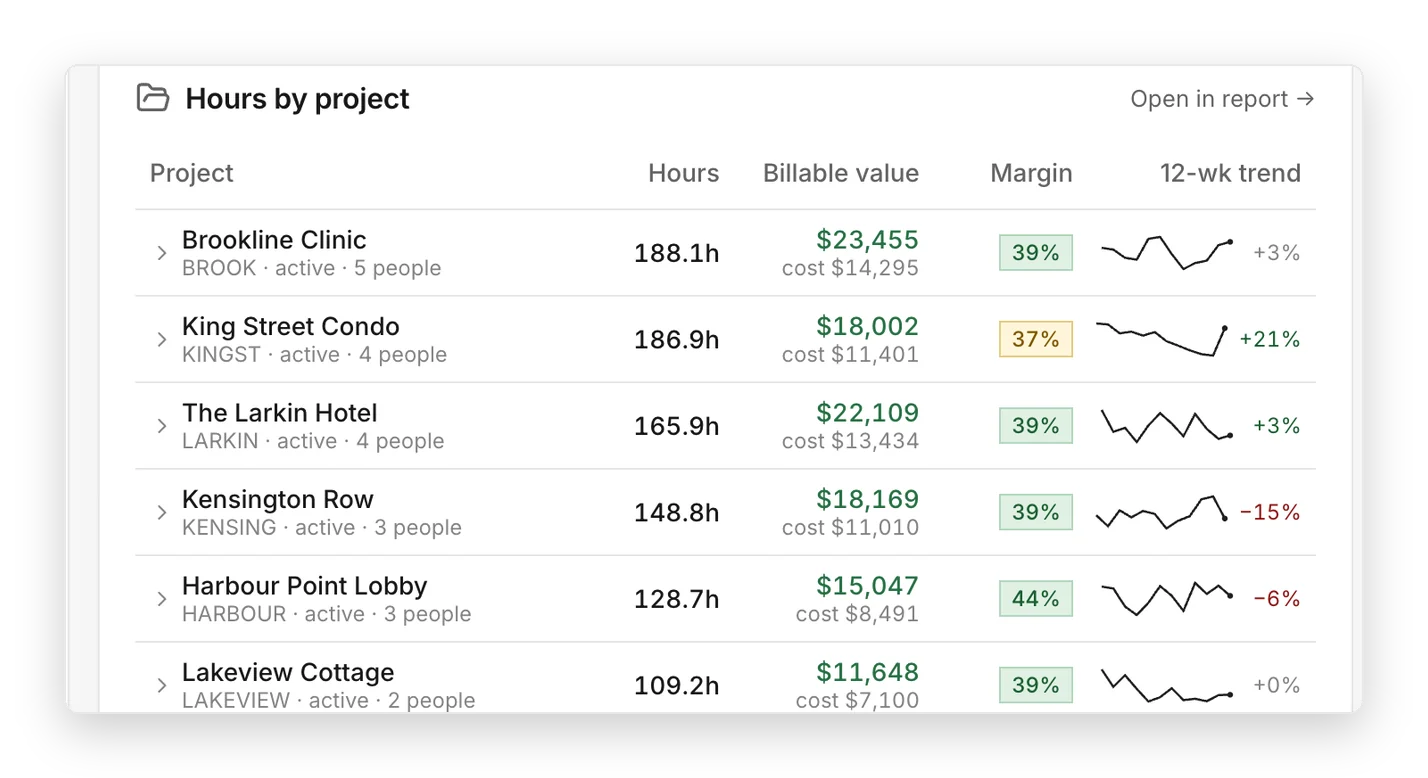
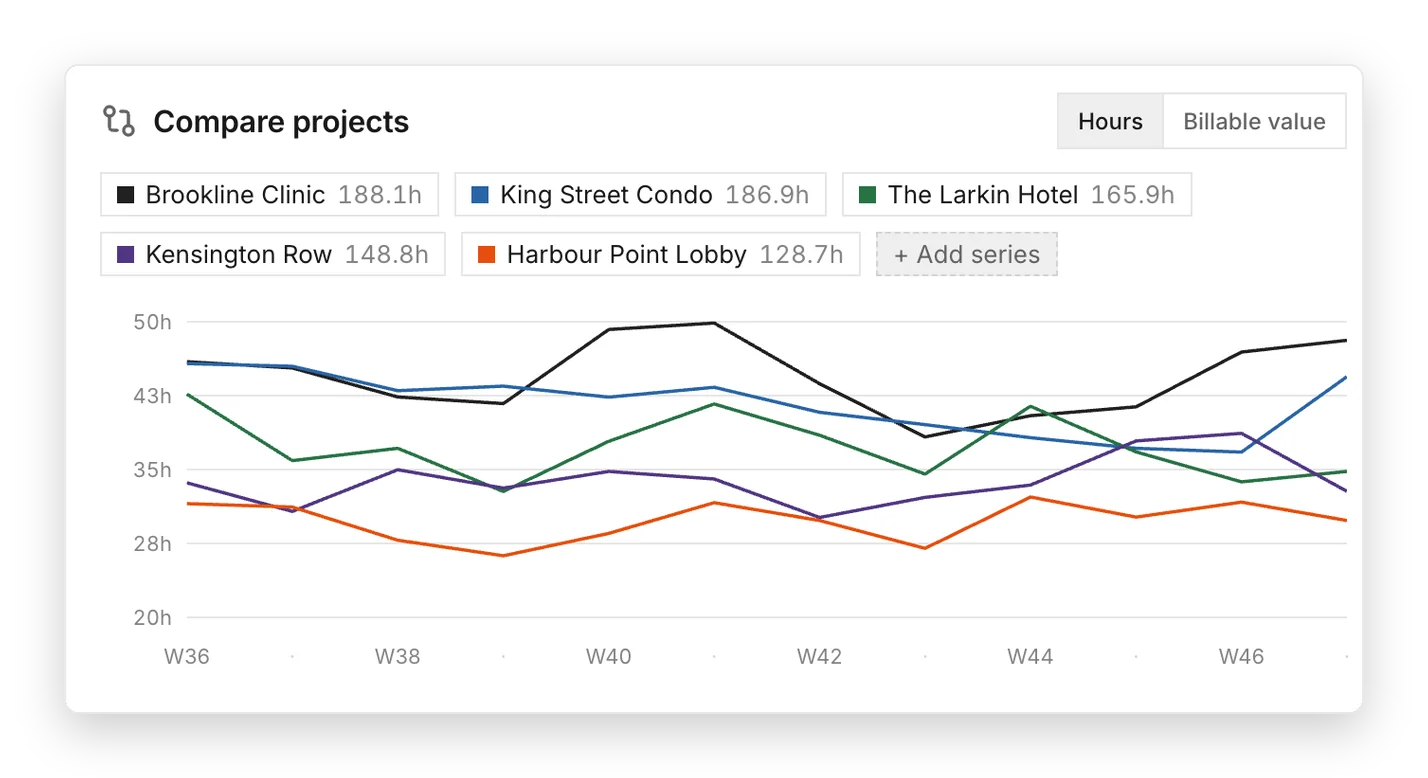
Hours logged per team member over the last 12 weeksTime overview with hours by team member and by projectStudio task board with to do, in progress, blocked and done columnsSeptember studio calendar showing task due dates, published tasks, time off, work from home days and the Labour Day holidayHours, billable value and margin by projectWeekly hours compared across five projects

Built for interior design. Configured for your firm.

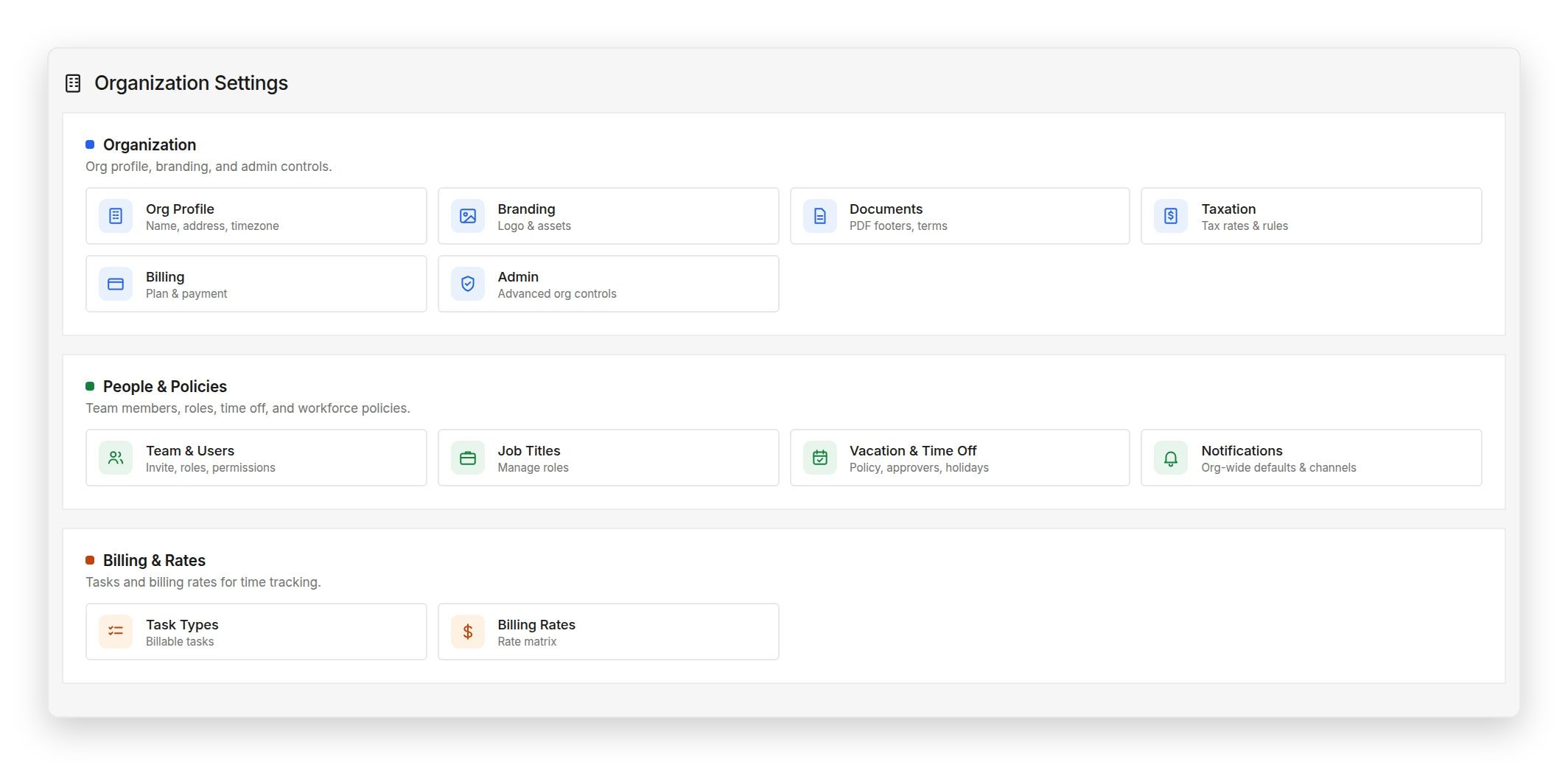
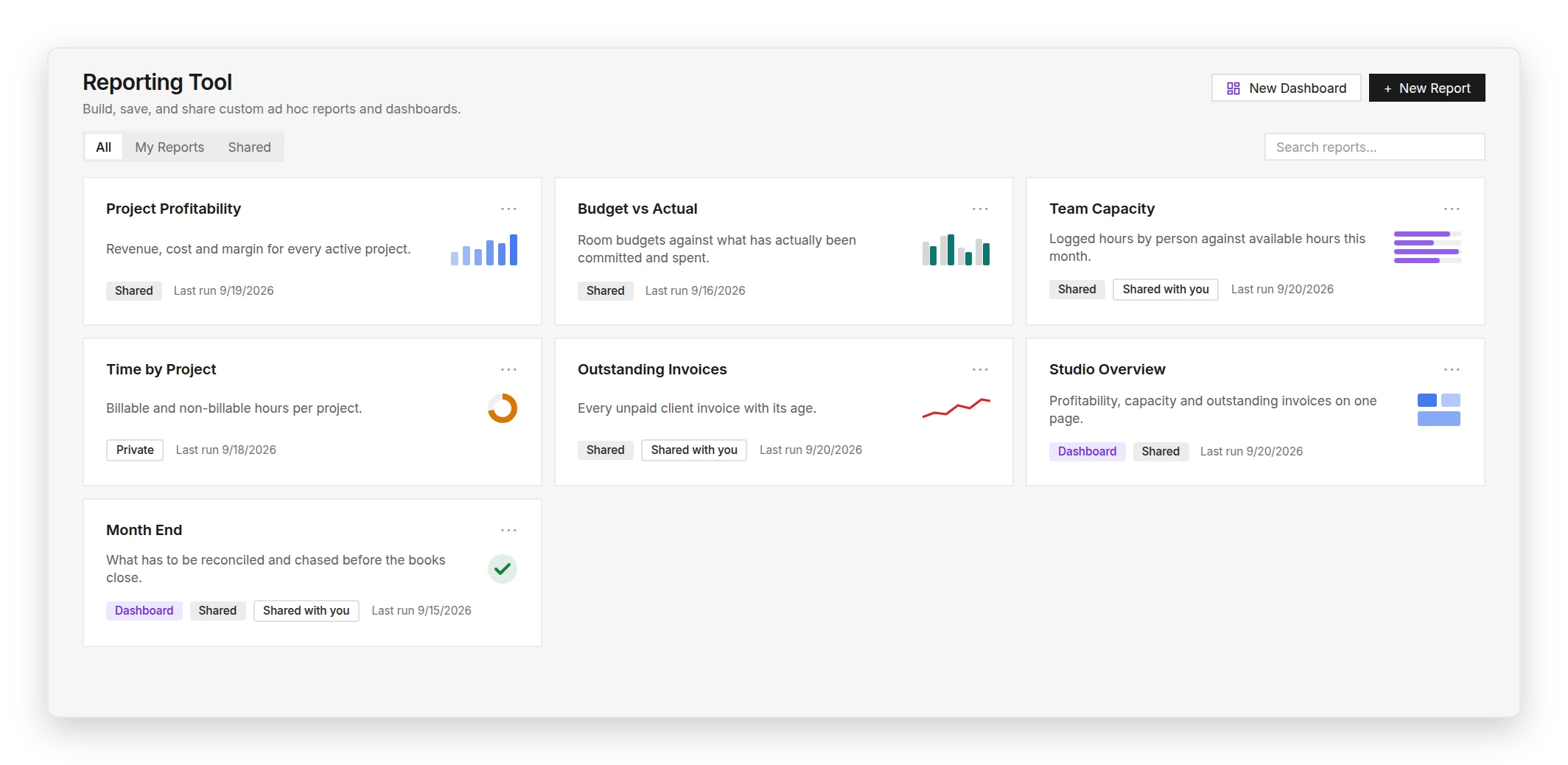
Organization settings for people and policies, billing rates and catalogsReporting tool with saved reports and dashboards

DesignDrive provides the structure of a professional interior design operating system without forcing every firm into the same process. For firms with more specific operational requirements, custom functionality can also be scoped and developed. A strong system underneath. Flexibility where your studio needs it.

Configure:

Project phases
Terminology
Fields
Templates
Views
Permissions
Workflows
Reports

The right access for everyone involved.

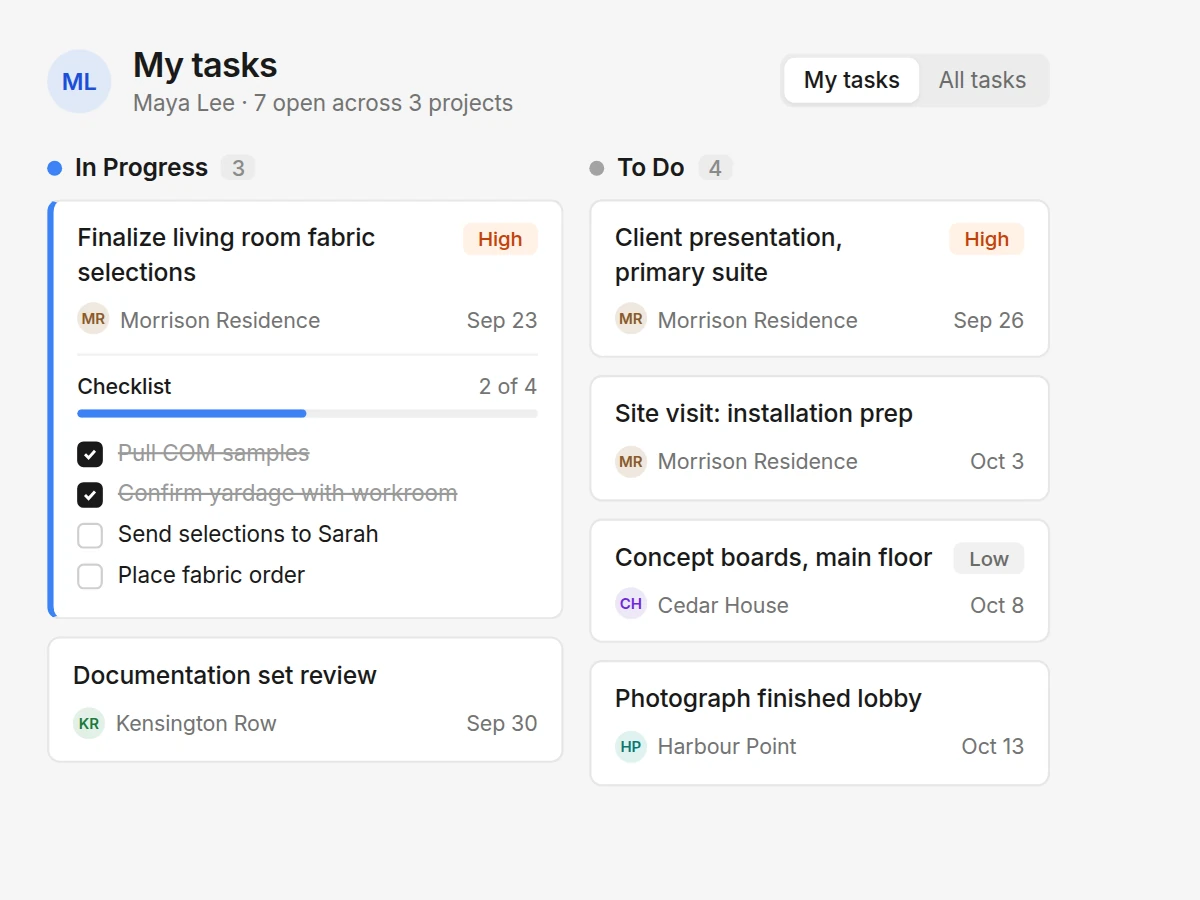
A designer's task board: fabric selections in progress with a checklist two of four done, and upcoming tasks by project

Your team

Design, procurement, finance and studio operations can work from the same project information with access tailored to their role.

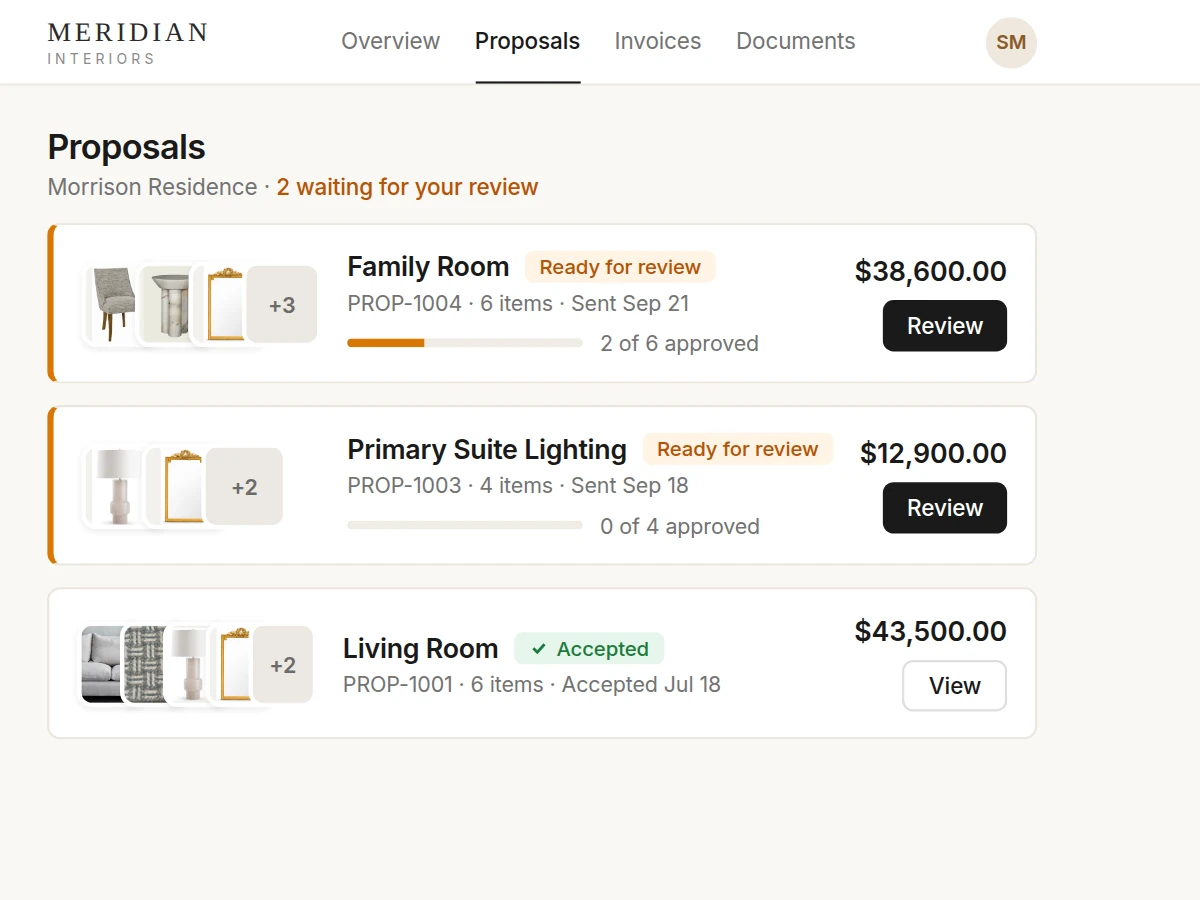
Client portal listing proposals: Family Room and Primary Suite Lighting ready for review, Living Room accepted

Clients

Selections, approvals, scope changes, invoices, payments and documents in a dedicated client experience.

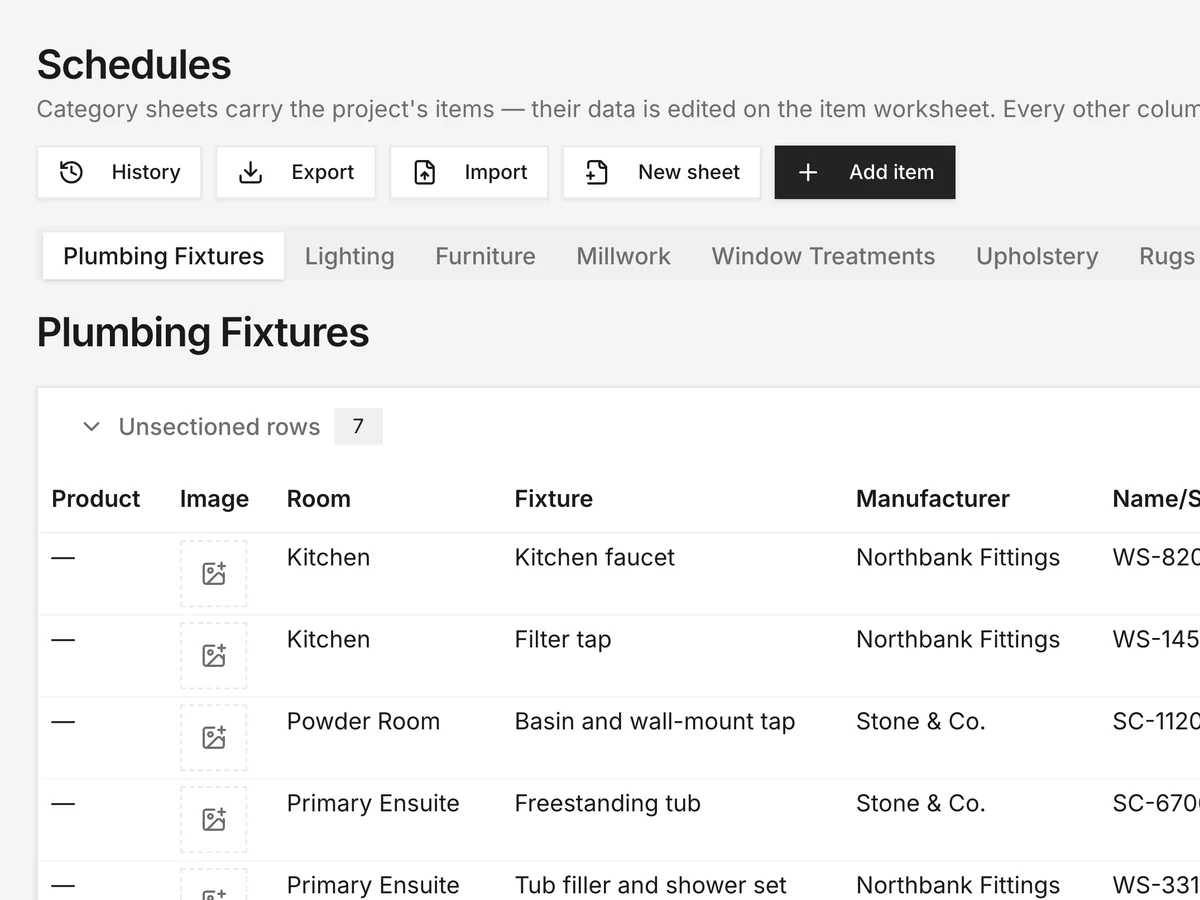
Plumbing fixtures schedule with rooms, fixtures and manufacturers

Builders & trades

Controlled access to selected project schedules, with comments and proposed changes reviewed by the studio before they become current.

Developed from inside a working design firm.

DesignDrive was developed from inside TOM Design Collective and built around the project, financial and operational requirements of professional interior design firms.

Built from industry experience. Designed to work beyond one firm.

Coming January 2027.

Join the DesignDrive launch list for product previews, launch updates, early access opportunities and introductory pricing.

* Mandatory fields

© 2026 DesignDrive LTD. All rights reserved.

Join the launch list

Join the DesignDrive launch list for product previews, launch updates, early access opportunities and introductory pricing.

* Mandatory fields